Zombie Trend AI Video Generator

Make the AI zombie trend from two photos: a survivor lowers a prop gun, hugs their undead loved one, and the clip cuts to a happy memory.

  • Free to Try
  • Just 2 Photos
  • 9:16 or 16:9
  • No Card Required

Eligible new accounts may get 15 free credits, enough for one 4-second Lite clip.

0 / 150

Zombie Trend Video Examples

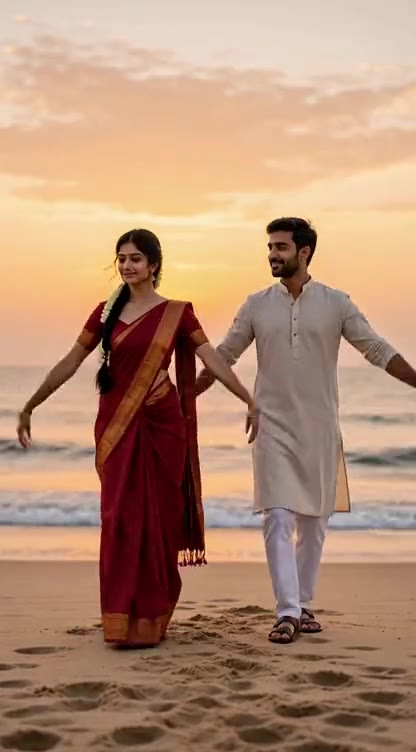
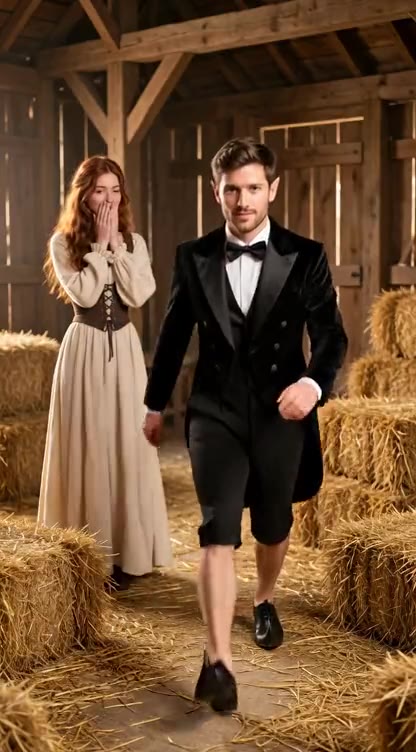
Six zombie trend videos made with other AI tools, each ending in a flashback. They are references for the trend, not videos made here; your clip is a new one from your two photos and may vary.

  • Cabin to Mountain Meadow
  • Empty Hall to Alpine Meadow
  • Kitchen Standoff to Wheat Field
  • School Uniform Flashback
  • Barn Standoff to Sunset Field
  • Field Jacket Flashback

How to Make an AI Zombie Trend Video

  1. 01

    Upload Two Photos

    Choose a clear photo of the survivor for the first slot and the loved one for the second. Front-facing photos from the chest up help the AI keep each person recognizable. For a dog or cat, pick My pet and put your pet's photo second.

  2. 02

    Choose Quality and Ratio

    Use the AI zombie video generator to pick Lite for 4 seconds or Standard and HD for 15 seconds, then 9:16 or 16:9. Add an optional scene detail.

  3. 03

    Review and Download

    Create your zombie trend video, check the faces and motion, then download the MP4. Add any music you have rights to in your social app.

What Your Zombie Trend Video Can Show

Two Photos, Two Roles

Upload one clear photo of the survivor and one of the person who appears undead. The AI uses both as references for a new scene.

An Undead Look Without Gore

The second person gets cracked grey skin and milky white eyes but keeps their own face and clothes. The scene stays tender, without attacks or graphic horror.

The Hug and the Flashback

The survivor lowers a prop gun, the loved one runs into their arms, and at that moment the clip cuts to a happy memory of the two of them. Timing and details vary by generation.

Use Photos With Permission

Use your own photos or photos of adults who agreed to be in the clip. Do not upload actors, celebrities or anyone without consent.

Vertical or Wide

Choose 9:16 for TikTok, Reels and Shorts, or 16:9 for a wider scene. Lite makes a 4-second clip; Standard and HD tell the story in 15 seconds.

Three Quality Levels

Lite uses Seedance 2.0 Mini at 480p; Standard and HD use Wan 3.0 at 480p and 720p. Generated audio is included, without a preexisting song.

100K+ 创作者信赖

S

"我用 ImagesArt.ai 把简单的产品创意做成短视频。不用安排拍摄,就能试几个方向,挑出喜欢的版本。"

Sarah Chen
@sarahchen
A

"在 ImagesArt.ai 上传一张照片,描述想要的动作,就能做成社交媒体短视频。我还能根据结果继续调整下一版。"

Alex Martinez
@alexmartinez
E

"我会在 ImagesArt.ai 设置首帧和尾帧,把想要的视频转场直接做出来。向客户展示创意更容易了。"

Emma Wilson
@emmawilson
D

"我可以用母语描述画面,再用 ImagesArt.ai 生成视频。正式剪辑前先试创意很方便。"

David Kim
@davidkim
L

"在 ImagesArt.ai 写下简短的场景描述,就能先做出视频草稿,再调整镜头运动,直到故事感觉对了。"

Lisa Anderson
@lisanderson
M

"我在 ImagesArt.ai 用同一个创意试了几个视频模型,最后选出了最适合这次活动的片段。"

Michael Brown
@michaelbrown
R

"ImagesArt.ai 帮我制作广告和社交媒体的产品短视频。确定最终版本前,我可以先试不同镜头。"

Rachel Green
@rachelgreen
J

"我喜欢在 ImagesArt.ai 比较不同视频模型:有的动作更细腻,有的镜头更有电影感。"

James Taylor
@jamestaylor
O

"我用 ImagesArt.ai 把故事板中的单帧变成短视频,团队能直接看到动作,不用靠想象。"

Olivia Davis
@oliviadavis
R

"ImagesArt.ai 的视频流程很清楚:上传画面、描述动作,然后下载片段。"

Robert Lee
@robertlee
S

"用 ImagesArt.ai,没什么剪辑经验也能先做出动态视频草稿,和团队讨论创意容易多了。"

Sophie White
@sophiewhite

Pricing

A 4-second Lite clip costs 15 credits. Eligible new accounts may receive 15 free credits. A 15-second Standard clip costs 120 credits; HD costs 240 credits and needs Starter or a one-time credit pack.

免费版

$0USD/月

额度

  • 注册送 15 积分
  • 最多可生成 2 条视频或 5 张图

功能

  • 480p 视频
  • 无水印视频

入门版

$9.9USD/月

额度

  • 每月 450 积分
  • 最多可生成 75 条视频或 150 张图

功能

  • 720p 视频
  • 4K 高清图

订阅仅支持银行卡,微信请选积分包

推荐

专业版

$19.9USD/月

额度

  • 每月 1350 积分
  • 最多可生成 225 条视频或 450 张图

功能

  • 1080p 与 4K 视频
  • 4K 高清图

订阅仅支持银行卡,微信请选积分包

旗舰版

$49.9USD/月

额度

  • 每月 3600 积分
  • 最多可生成 600 条视频或 1200 张图

功能

  • 1080p 与 4K 视频
  • 4K 高清图

订阅仅支持银行卡,微信请选积分包

Zombie Trend AI Video Generator FAQ

The AI zombie trend is a short fictional love-story video: someone sees a loved one turned into a zombie, cannot bring themselves to shoot, and embraces them. Then the clip cuts to a warm memory of the two before the outbreak, and this generator makes that whole story. It is also called the zombie AI love story, and its signature is the match cut on the hug that jumps straight into the flashback.

Upload one photo of each adult, with the survivor first and the undead loved one second. Choose Lite, Standard or HD and a ratio, then create and download your clip. It is a new video, not footage from the original trend.

Yes. This is the Lite prompt the generator sends with your two photos: Emotional 4-second zombie short in four shots, photoreal. PHOTO 1, the survivor, stays human. PHOTO 2 is their loved one, now turned: same face and hairstyle, grey skin, milky white eyes, and wearing exactly the outfit from PHOTO 2, same colors, in every shot. Never swap them. Shot 1: over-the-shoulder from behind PHOTO 1 on a foggy ruined street. PHOTO 1's shaking hands aim a prop pistol straight at PHOTO 2, who walks toward the camera, face recognizable. Shot 2: reverse close-up of PHOTO 1 in tears, lowering the gun. Shot 3: wide side shot. PHOTO 2 runs into PHOTO 1's open arms; they hug tightly. Shot 4: as they collide, hard cut to the same street on a sunny day before the outbreak. PHOTO 2 is human again, both laughing. Tense sound, then warm piano. No gunshot, biting, blood, wounds, extra people, text or watermark. Standard and HD use a longer 15-second version of the same story. You do not need to paste it here: pick a template and the page fills it in, then add a short director's note for any changes.

Yes. The template asks for the survivor aiming, recognizing their loved one, lowering the gun and opening their arms, then their leap cuts to a sunny memory. Standard and HD give it 15 seconds; Lite fits it into 4. The AI can still vary the timing, faces and details.

Eligible new accounts may receive 15 free credits; one 4-second Lite clip costs 15 credits. Free credits are unavailable in some regions. Standard and HD need more credits, and HD requires Starter or a one-time credit pack.

Yes, if the adults in the photos agreed to be in your video. Use clear, front-facing pictures and avoid group shots, celebrities and public figures.

Lite uses Seedance 2.0 Mini at 480p and makes a 4-second clip at the lowest cost. Standard uses Wan 3.0 at 480p for a 15-second clip. HD uses that model at 720p and requires Starter or a one-time credit pack. The price updates before you generate.

Add a short director's note for lighting, weather or camera motion. The hug-and-flashback story stays fixed. The generated video can have new AI audio; add a song only through a service where you have permission to use it.

The photos guide each character, but AI generation can change facial details, clothes or movement. Review the finished clip before sharing it.

The finished MP4 appears on the page and in My Assets, where you can download or delete it. Generation time varies with quality and length.

Make Your Zombie Trend Video

Two photos, one last-hug template and a new clip ready to share.

Compare Plans