Bulin 47 AI Video Generator

Make the Bulin 47 AI trend from one photo: you, a friend or your pet take the mic in the viral Bulin 47 street freestyle, with the original sound.

  • Free to Try
  • Just 1 Photo
  • 9:16 for TikTok
  • No Card Required

Eligible new accounts may get 15 free credits, enough for one 6-second Lite clip.

0 / 216

Bulin 47 AI Video Examples

Examples of the Bulin 47 AI trend: the rapper in the pink shirt is swapped for someone else, while the speaker holder, the crowd and the camera stay. Clips made on this page are 10 seconds long, and each one comes out a little different.

  • Blue Hoodie Freestyle
  • Chimp on the Mic

How to Make a Bulin 47 AI Video

  1. 01

    Upload One Photo

    Use a clear, front-facing photo of yourself, a friend who agreed, or your pet. Full-body or waist-up shots work best; avoid group photos.

  2. 02

    Pick a Quality

    Choose Lite for a quick 6-second clip in a re-created scene, or Standard and HD for the original 10-second clip with you swapped in.

  3. 03

    Download and Post

    Create your clip, check the face and moves, then download the MP4. The original freestyle sound is already on it, ready for TikTok, Reels and Shorts.

What Your Bulin 47 AI Video Shows

One Photo, Your Face

Upload one clear photo. The AI keeps your face, hair and outfit and puts you on the mic in place of the rapper in the pink shirt.

The Original Scene

Standard and HD follow the original 10-second street clip: the speaker holder, the crowd, the red-lit door and the handheld camera stay where they were.

The Freestyle Moves

Your head turns, hand gestures and mouth follow Bulin 47's performance through the "Oye hermanito, Bulin 47" part of the freestyle.

Pets Can Take the Mic

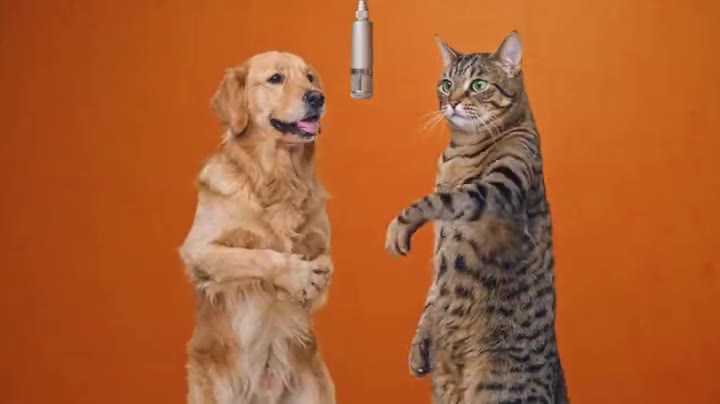
Switch to My pet and your dog or cat stands in the rapper's spot with real paws, bobbing its head and waving a paw to the freestyle.

The Original Sound

Every clip comes with the original freestyle audio: 10 seconds on Standard and HD, the first 6 seconds on Lite. Lite re-creates the scene from your photo, so its mouth will not match the words exactly.

Three Quality Levels

Lite uses Grok at 480p for a 6-second clip. Standard uses Seedance 2.0 Mini at 480p and HD uses MiniMax H3 at 720p, both for the full 10-second clip in 9:16.

Trusted by 100K+ creators

S

"I use ImagesArt.ai to turn a simple product idea into a short video. I can try a few directions and share the version I like without setting up a shoot."

Sarah Chen
@sarahchen
A

"ImagesArt.ai lets me animate a still photo for social posts. I describe the motion I want, generate a video, and refine the next take."

Alex Martinez
@alexmartinez
E

"I use start and end frames in ImagesArt.ai to show a video transition exactly as I pictured it. It makes pitching concepts much easier."

Emma Wilson
@emmawilson
D

"I can describe a scene in my own language and make a video with ImagesArt.ai. It's an easy way to try ideas before I edit."

David Kim
@davidkim
L

"With ImagesArt.ai, I can turn a short prompt into a video draft and adjust the camera movement until the story feels right."

Lisa Anderson
@lisanderson
M

"I tried a few video models in ImagesArt.ai with the same idea and picked the clip that worked best for my campaign."

Michael Brown
@michaelbrown
R

"ImagesArt.ai helps me make short product videos for ads and social posts. I can explore different shots before choosing one."

Rachel Green
@rachelgreen
J

"I like comparing video models in ImagesArt.ai. One gives me subtle motion, while another gives me a more cinematic shot."

James Taylor
@jamestaylor
O

"I bring storyboards to life with ImagesArt.ai by turning a single frame into a short video. My team can see the motion instead of imagining it."

Olivia Davis
@oliviadavis
R

"The ImagesArt.ai video workflow is straightforward: upload a frame, describe the action, and download the clip."

Robert Lee
@robertlee
S

"ImagesArt.ai makes video ideas easier to share. I can show a moving draft even without much editing experience."

Sophie White
@sophiewhite

Pricing

A 6-second Lite clip costs 14 credits, and eligible new accounts may receive 15 free credits. A 10-second Standard clip costs 48 credits; HD costs 160 credits and needs Starter or a one-time credit pack.

Free

$0USD / mo

Credits

  • 15 credits on sign-up
  • Up to 2 videos or 5 images

Features

  • 480p video
  • Watermark-free videos

Starter

$9.9USD / mo

Credits

  • 450 credits/month
  • Up to 75 videos or 150 images

Features

  • 720p video
  • 4K images
Recommended

Pro

$19.9USD / mo

Credits

  • 1350 credits/month
  • Up to 225 videos or 450 images

Features

  • 1080p & 4K video
  • 4K images

Ultimate

$49.9USD / mo

Credits

  • 3600 credits/month
  • Up to 600 videos or 1,200 images

Features

  • 1080p & 4K video
  • 4K images

Bulin 47 AI Video Generator FAQ

It comes from a viral street freestyle filmed in Madrid in October 2026: Dominican dembow artist Bulin 47 raps on the spot while creator Kevin Wai holds up a portable speaker outside a red-lit restaurant entrance. The Bulin 47 AI trend swaps the rapper for someone else, such as you, a friend or a pet, while the rest of the clip stays the same.

Kevin Wai is the creator holding the speaker in the original clip. "Dame Hombro" ("give me a shoulder") is the song Bulin 47 and Kevin Wai released after the freestyle went viral. The street clip itself is usually searched as the Bulin 47 freestyle, and the remakes as the Bulin 47 freestyle AI trend.

Upload one photo, pick Me or a friend or My pet, choose Lite, Standard or HD, then create and download your clip. The scene and the sound are set up for you.

Every clip plays the original freestyle audio. On Standard and HD, the new lead copies the original performance, so the mouth and gestures line up closely with the words, with small differences. Lite re-creates the scene from your photo, so its mouth movement will not match the lyrics exactly.

Eligible new accounts may receive 15 free credits; one 6-second Lite clip costs 14 credits. Free credits are unavailable in some regions. Standard costs 48 credits and HD costs 160 credits; HD requires Starter or a one-time credit pack.

Yes for pets: choose My pet and upload a clear photo of your dog, cat or other pet, and it takes the rapper's spot with real paws. An original character you drew can work with Me or a friend; do not upload well-known cartoon or movie characters.

Lite uses Grok at 480p for a 6-second clip in a re-created scene at the lowest cost. Standard uses Seedance 2.0 Mini at 480p and remakes the original 10-second clip with you in it. HD uses MiniMax H3 at 720p for a sharper version of the same clip and requires Starter or a one-time credit pack. The price updates before you generate.

Lite usually finishes in one to two minutes. Standard and HD remake the full 10-second clip and can take 5 to 15 minutes; you can leave the page and find the video in My Assets.

This is an independent tool, not affiliated with Bulin 47, Kevin Wai or their labels. Use your own photos or photos of adults who agreed to be in your clip. Do not upload celebrities, public figures, children or anyone without their consent.

The finished MP4 appears on the page and in My Assets, where you can download or delete it.

Make Your Bulin 47 AI Video

One photo, the viral freestyle and the original sound, ready to post.

Compare Plans