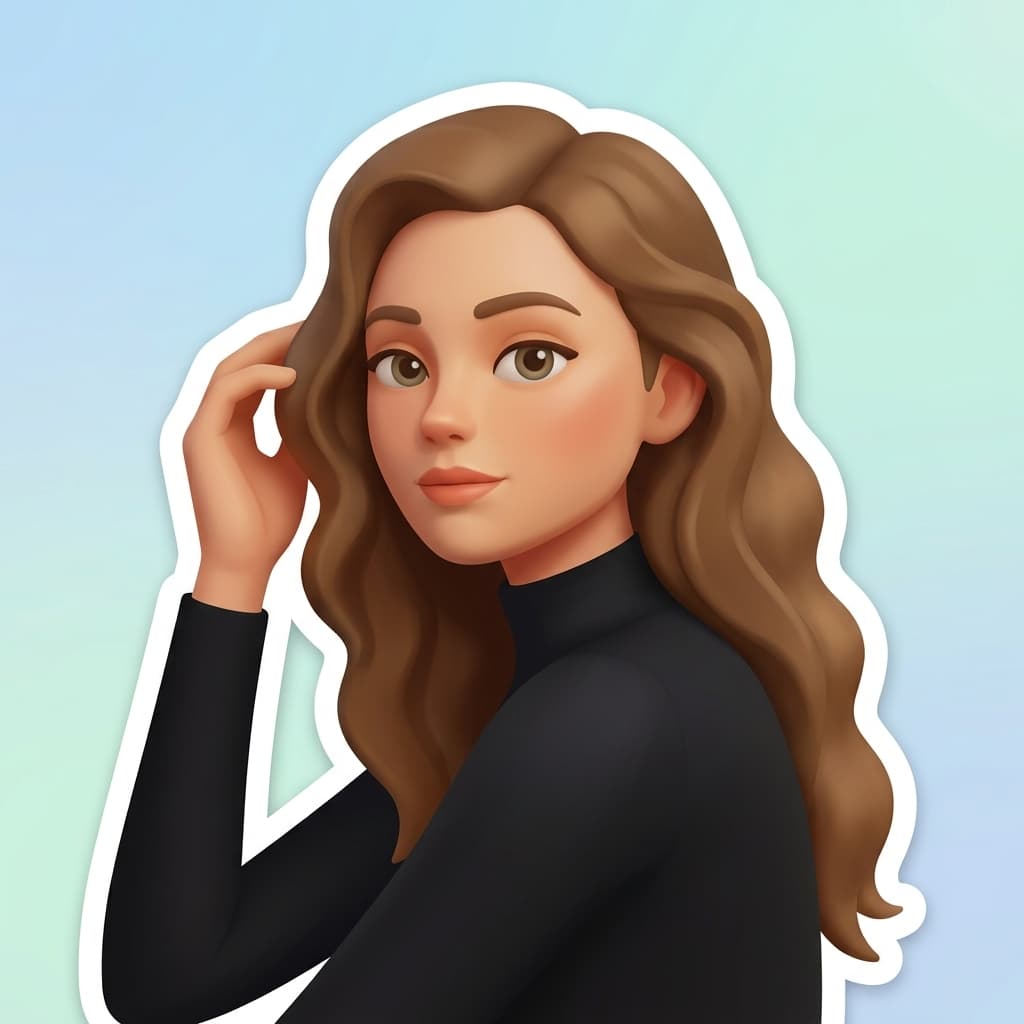
These three portraits were turned into emoji-style images with Nano Banana 2 at 1:1 and 1K. Each 1024 × 1024 JPG has a pastel background and white sticker outline.

Click / Drop
Convert the person in the uploaded reference photo into one charming 3D emoji sticker illustration. Keep her recognizable brown wavy hair, oval face, calm expression, black top, and hand near her hair. Use rounded simplified facial features, warm skin tones, and soft dimensional shading. Center her head and upper torso in a square frame, with the full head visible and the character filling most of the image. Add a crisp, thick white die-cut sticker outline that follows the hair, shoulders, and body silhouette. Behind the outlined character, use a softly blurred pastel sky-blue to pale mint-green gradient with no photographic scenery. The result should read clearly as one custom emoji at chat size. No text, frame, extra people, collage, checkerboard, or watermark.
| Input | One photo |
|---|---|
| Model | Nano Banana 2 |
| Default output | 1:1 square, 1K (1024 × 1024) |
| Other resolutions | 2K and 4K |
| Background | Soft pastel gradient with a white sticker outline; not transparent |
The model supports image editing and 1K, 2K, and 4K output, as described in Google’s Gemini 3.1 Flash Image documentation. The settings above describe this template.
Create one recognizable emoji-style image from a portrait, pet photo, or favorite object.
Turn a photo of yourself into a rounded avatar for chats and social profiles. A close, well-lit face gives the model more detail to keep.
Make a picture into an emoji-style reaction based on a familiar face or expression. Download the image and resize it for the app where you want to use it.
Turn a pet or a simple object into a custom icon. Keep one main subject in the photo so the result stays clear at small sizes.
Upload a picture to make your own emoji-style image.
Upload one image, generate, then download the result.
Choose a clear photo with one main person, pet, or object. The tool accepts one image per generation.
The template starts at a square 1:1 ratio and 1K resolution. Nano Banana 2 redraws the subject with smooth, expressive emoji-style shapes.
Check the face, colors, and outline before saving. Resize or remove the gradient background in an editor if your chat app needs a specific sticker format.
Choose a clear photo with one main person, pet, or object. The tool accepts one image per generation.
The template starts at a square 1:1 ratio and 1K resolution. Nano Banana 2 redraws the subject with smooth, expressive emoji-style shapes.
Check the face, colors, and outline before saving. Resize or remove the gradient background in an editor if your chat app needs a specific sticker format.
Upload one picture, generate a custom emoji-style image with Nano Banana 2, and download the result.
Last updated:
