How to Make AI Rap Videos From a Photo (Free, No Lyrics Needed)
ImagesArt.ai
11/11/2026
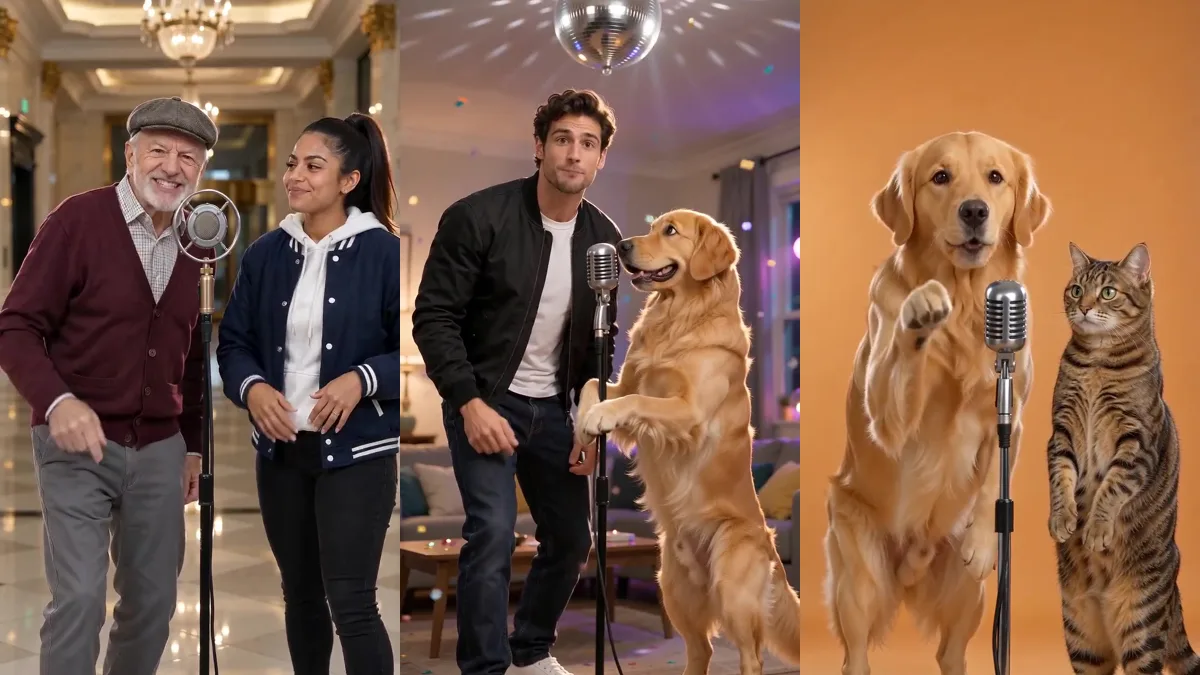
"You pay the rent, but I get all the love." That's a golden retriever rapping at his owner under a disco ball, and neither of them ever held a mic. Here's how to make the same kind of AI rap video with your own photo, your friend, or your dog.
Quick answer: open our AI rap video generator, upload one photo for a solo rapper or two for a duet, pick one of six stages, type what the verse should be about, and hit Create. The AI writes English bars on that topic, makes a hip-hop beat and animates your rappers with their mouths in sync, all in one MP4. Lite is a 4-second clip for 15 credits; Standard and HD run 5, 10 or 15 seconds in 9:16, 16:9 or 1:1. Most clips are ready in about two to five minutes. Eligible new accounts may get 15 free credits, enough for one Lite clip.
How to make an AI rap video, step by step
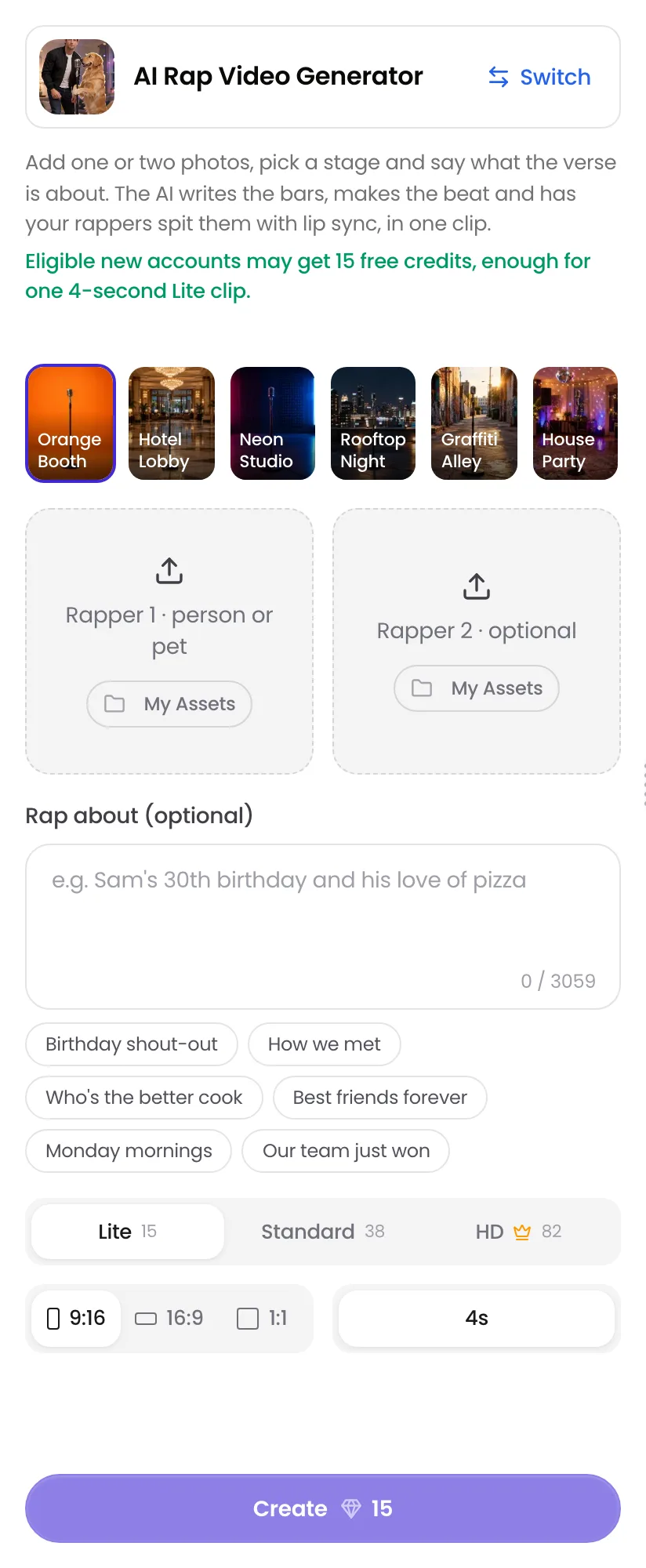
Pick a stage and add your photos
Choose one of six stages: Orange Booth, Hotel Lobby, Neon Studio, Rooftop Night, Graffiti Alley or House Party. Then upload a photo into Rapper 1. People, dogs and cats all work. The second slot is optional: leave it empty for a solo rapper, or add a friend, a partner or your pet for a duet.
Type what the rap is about
Write the topic in Rap about, or tap an idea like "Birthday shout-out" or "Who's the better cook." A name or an inside joke makes the verse feel personal. Leave it empty and the AI picks a topic for you.
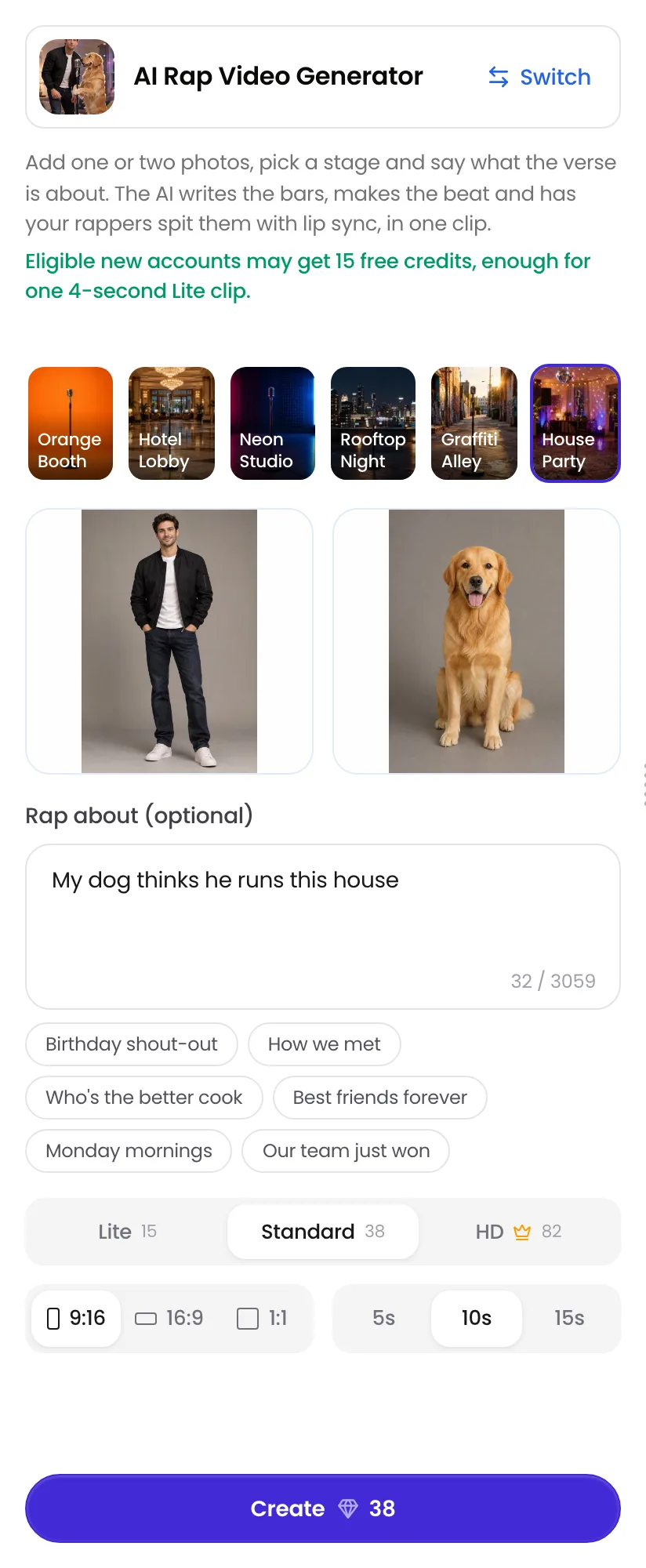
Then pick a quality:
- Lite (15 credits): 480p, 4 seconds. The one to try for free.
- Standard (19 / 38 / 57 credits for 5 / 10 / 15 seconds): 480p, long enough for a full verse.
- HD (41 / 82 / 123 credits): 720p, the sharpest. Needs Starter or a one-time credit pack.
Create and download
Pick 9:16 for TikTok, Reels and Shorts, or 16:9 or 1:1, then hit Create. You can leave the page while it renders; the video shows up in your History. Download the MP4. The beat and the vocals are already in it.
AI rap video examples
A grandpa and his grown-up granddaughter in the Hotel Lobby stage, and a solo rapper from a single photo in Neon Studio. Both are HD, 10 seconds.
The grandpa's topic was "Grandpa versus grandkid: who has better dance moves," and he answered with "Wait till you see the step I invented back in '66." The solo clip was about surviving Monday mornings on three coffees.
How it works
The video model makes the picture and the sound together: it writes the verse from your topic, produces the beat and the rap vocals, and moves each rapper's mouth to their own lines. That's why there is no lyrics sheet and no audio upload. Each clip gets a new beat and new bars, so running the same photos and topic twice gives you two different raps.
Which photo goes where
- Rapper 1 is the left side of the stage, Rapper 2 the right. Swap the photos to swap sides.
- One person or pet per photo. A group shot makes it unclear who should rap, and faces can blend.
- Knees or waist up, facing the camera. The stages show your rappers from about the knees up, so the AI does better when it can see the body and the hands.
- Solo or duet. One photo gives a solo rapper who raps straight to the camera. Two photos give a back-and-forth duet, where they trade lines and react to each other.
Pick an unlikely duo
The clips people forward are the ones where nobody expects a rap. A dog and a cat, you and your grandma, your boss-looking friend in a graffiti alley. Pets stand up on their hind legs and take the mic.
That's a golden retriever and a tabby cat in the Orange Booth, rapping about dinner time: "When that food hits the bowl, ready to attack!"
Topics that make a good rap
The topic is what turns a funny clip into one you send. Some that work:
- Birthdays: "Mom turning 60 and still the coolest in the family."
- Couples: "Who steals the blanket every night."
- Friends: "Our road trip where everything went wrong."
- Pets: "The cat who stole my seat on the couch."
- Work and school: "The last day of exams."
- Friendly roasts: "My brother still can't parallel park."
Short and specific beats long and vague. If you type exact lines, the AI will try to rap them, but it may change a few words to fit the beat.
Why there's no song upload
This kind of AI rap video writes a new rap for you, so it doesn't take an audio file. That's the point: you don't need a beat, lyrics or a song license. If you already have a track and want your photo to lip-sync to it, that's a different tool, the AI music video generator. If you want the viral orange-booth duo with the original Hotel Lobby song, use Hotel Lobby AI; the Hotel Lobby stage here is a marble lobby with a new beat.
The vocals are in English. You can type the topic in another language, but the verse will come out in English.
Common mistakes
- Leaving the topic empty when you want it personal → you get a generic verse. Add a name or a detail.
- Using a group photo → the AI can't tell who raps, and faces may merge.
- Tiny or dark photos → faces drift and look less like the person.
- Expecting your own song → this page always makes a new beat. Use the AI music video generator for that.
- Picking Lite for a full verse → 4 seconds fits about one line. Use Standard at 10 or 15 seconds for a real back-and-forth.
FAQ
Make your AI rap video
One or two photos, a stage and a topic. Lite is free to try with the 15 credits new accounts may get.
Make my video →