Seedream 5.5 vs 5.0 Pro vs 4.5: Is the Upgrade Worth It?
ImagesArt.ai
11/15/2026
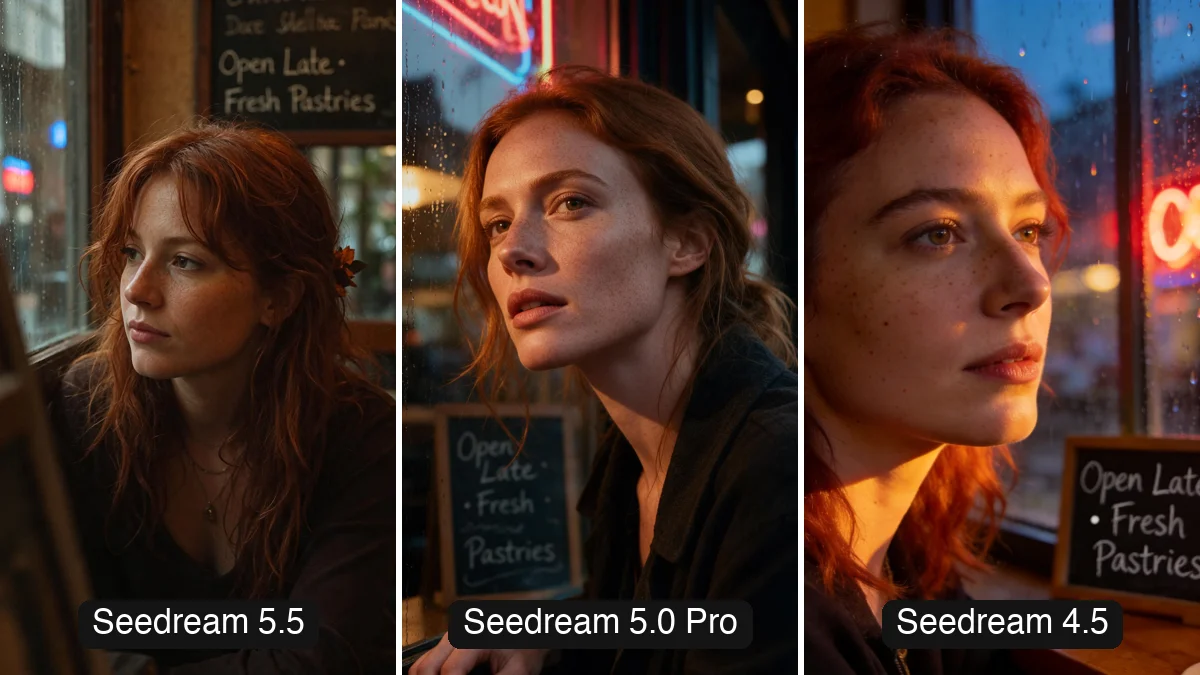
ByteDance now has three Seedream versions people still use: Seedream 4.5, Seedream 5.0 Pro and the new Seedream 5.5 (November 9, 2026). Newer is not always better for every job, so we gave all three the same five prompts at the same size and aspect ratio and compared the results side by side.
Short answer: Seedream 5.0 Pro gave the best image in 3 of 5 tests. It kept a product photo closest to the original and added nothing to the poster. Seedream 5.5 is the one to pick for speed, cost and transparent PNGs: our seven 5.5 images cost 45 credits against 74 for 5.0 Pro and finished two to three times faster. Seedream 4.5 still makes good single images, but it drifted the most when we edited the same photo again and again.
Try Seedream 5.5 →Seedream 5.5 vs 5.0 Pro vs 4.5 at a glance
| Seedream 5.5 | Seedream 5.0 Pro | Seedream 4.5 | |
|---|---|---|---|
| Our score (5 tests) | 1 win | 3 wins, 1 draw | 1 draw |
| Credits on ImagesArt | 4 at 1K, 7 at 2K, +2 per reference photo | 7 at 1K, 14 at 2K, +1 per reference photo | Not on ImagesArt |
| What our 7 images cost | 45 credits | 74 credits | About $0.03 per image through an API |
| Our render times (7 images each) | 15 to 37 seconds | 37 to 122 seconds | 12 to 21 seconds (API, see below) |
| Image size at 2K, 3:4 | 1776 × 2368 | 1728 × 2304 | 1728 × 2304 |
| Transparent PNG | Yes, Background setting | No | No |
| Kept the scene in 3 rounds of edits | Mostly | Yes | No |
Seedream 5.5 and 5.0 Pro images were made in our generator on November 13 to 15, 2026. Seedream 4.5 is not on ImagesArt, so we ran it through a third-party API on November 15 with the same prompts, using its standard 2K quality. Its times skip the queue and upload steps a website adds, so they look a little faster than they would on a site.
Test 1: realistic portrait with a chalkboard
Text to image, 3:4, 2K:
Cinematic close-up portrait of a 30-year-old woman with freckles and loose auburn hair, sitting by a rain-streaked café window at dusk, warm tungsten light on her face, neon reflections in the glass, natural skin texture with visible pores, 85mm lens, shallow depth of field. A small chalkboard behind her reads "Open Late · Fresh Pastries" in neat handwriting, and that is the only text on it.
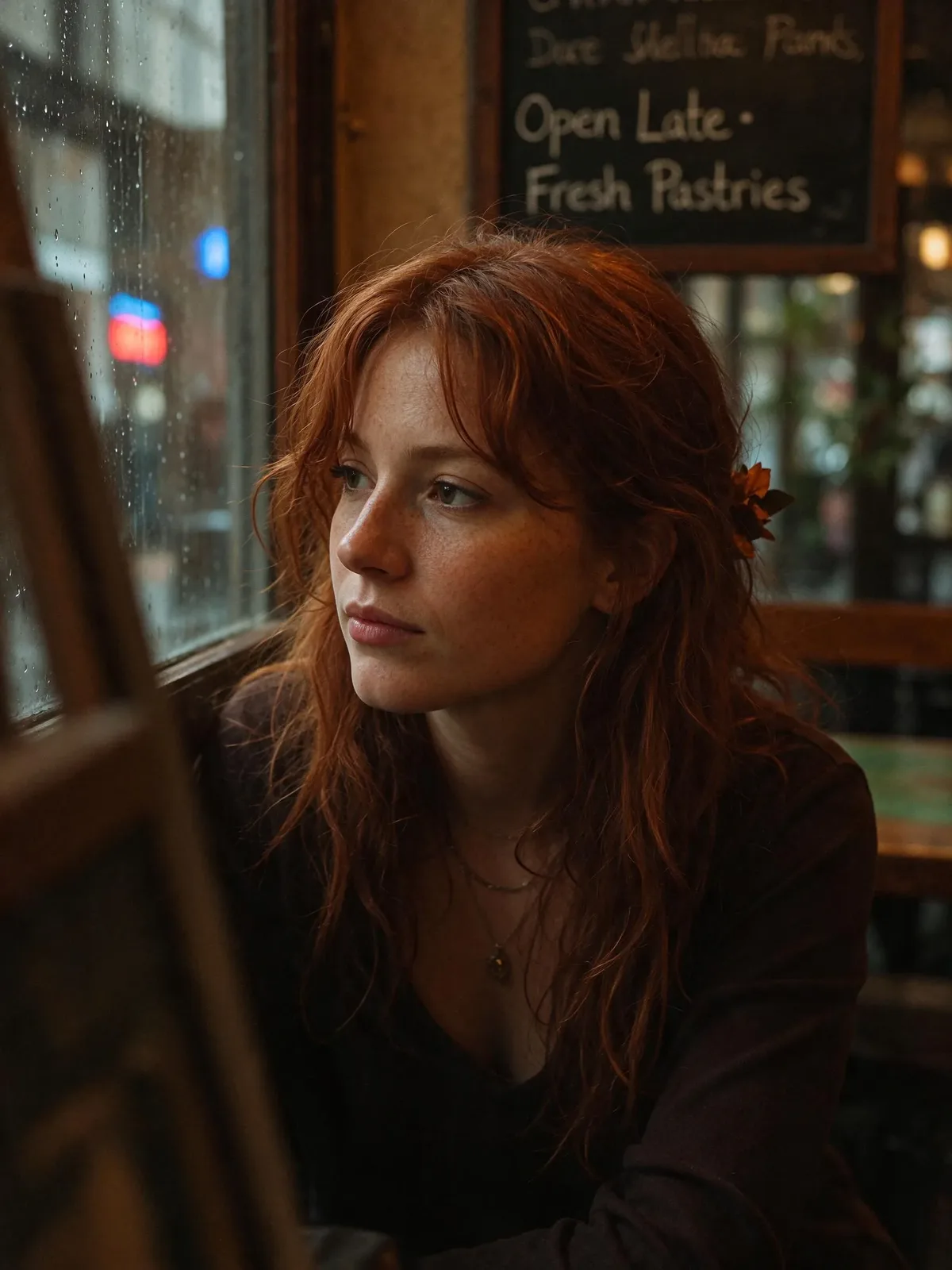
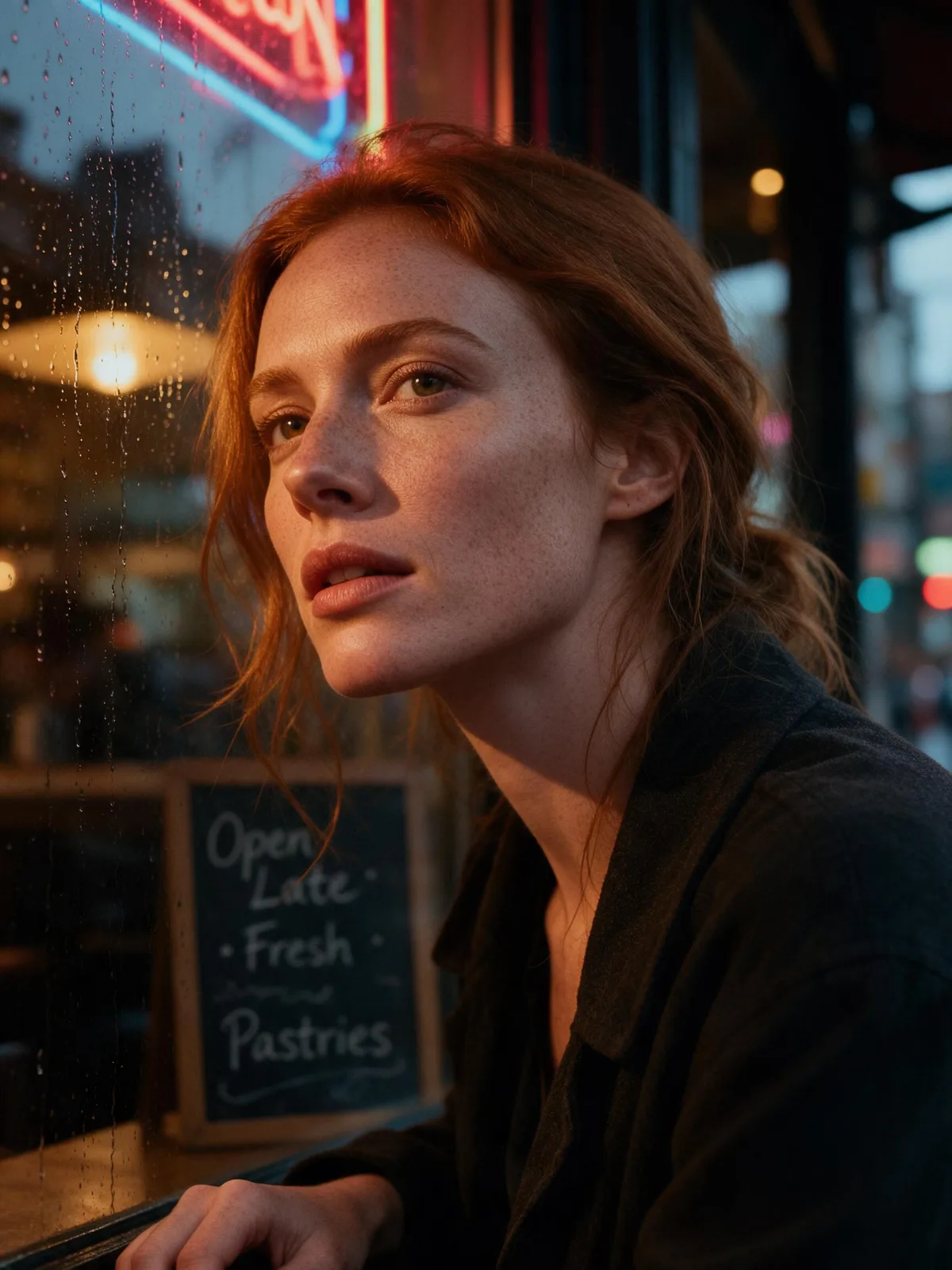
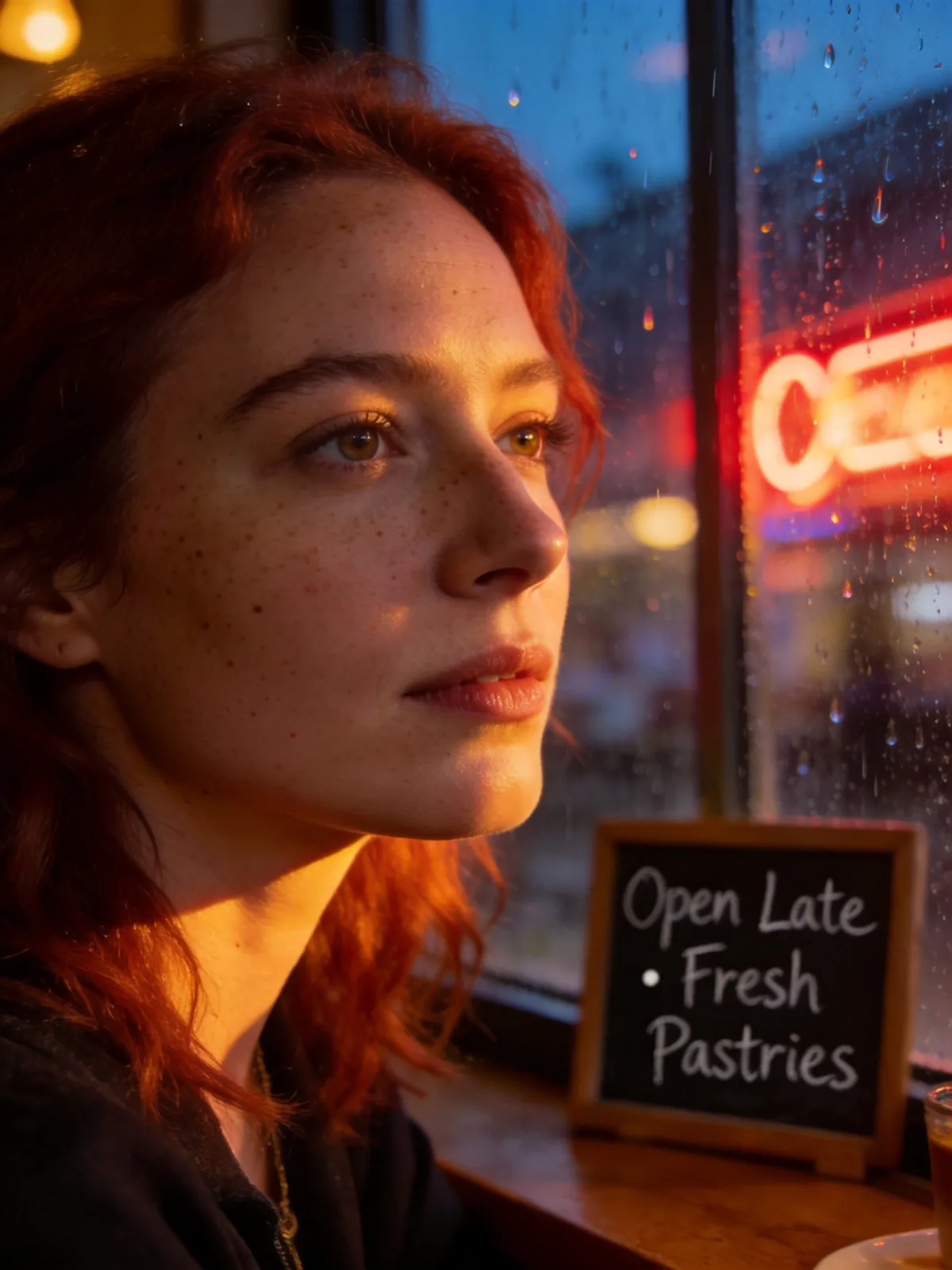
All three spelled "Open Late · Fresh Pastries" right, and all three look like real photos with visible skin texture. The difference is the instruction "that is the only text on it". Seedream 5.0 Pro and 4.5 followed it. Seedream 5.5 added a line of made-up handwriting at the top of the board. Seedream 4.5 has the most polished light; 5.0 Pro has the stronger neon and rain mood.
This round: a draw between Seedream 5.0 Pro and 4.5.
Test 2: event poster with English and Japanese text
Text to image, 16:9, 2K:
A clean modern event poster for a fictional night market called "Lantern Street Market". Warm paper lanterns hang over a street of food stalls at blue hour. Large headline "LANTERN STREET MARKET" at the top, with the Japanese line "ちょうちん横丁ナイトマーケット" beneath it. Small info text at the bottom reads "Fri–Sun · 6 PM – Midnight · 120 Food Stalls · Free Entry". Crisp editorial layout, readable typography, rich warm light.
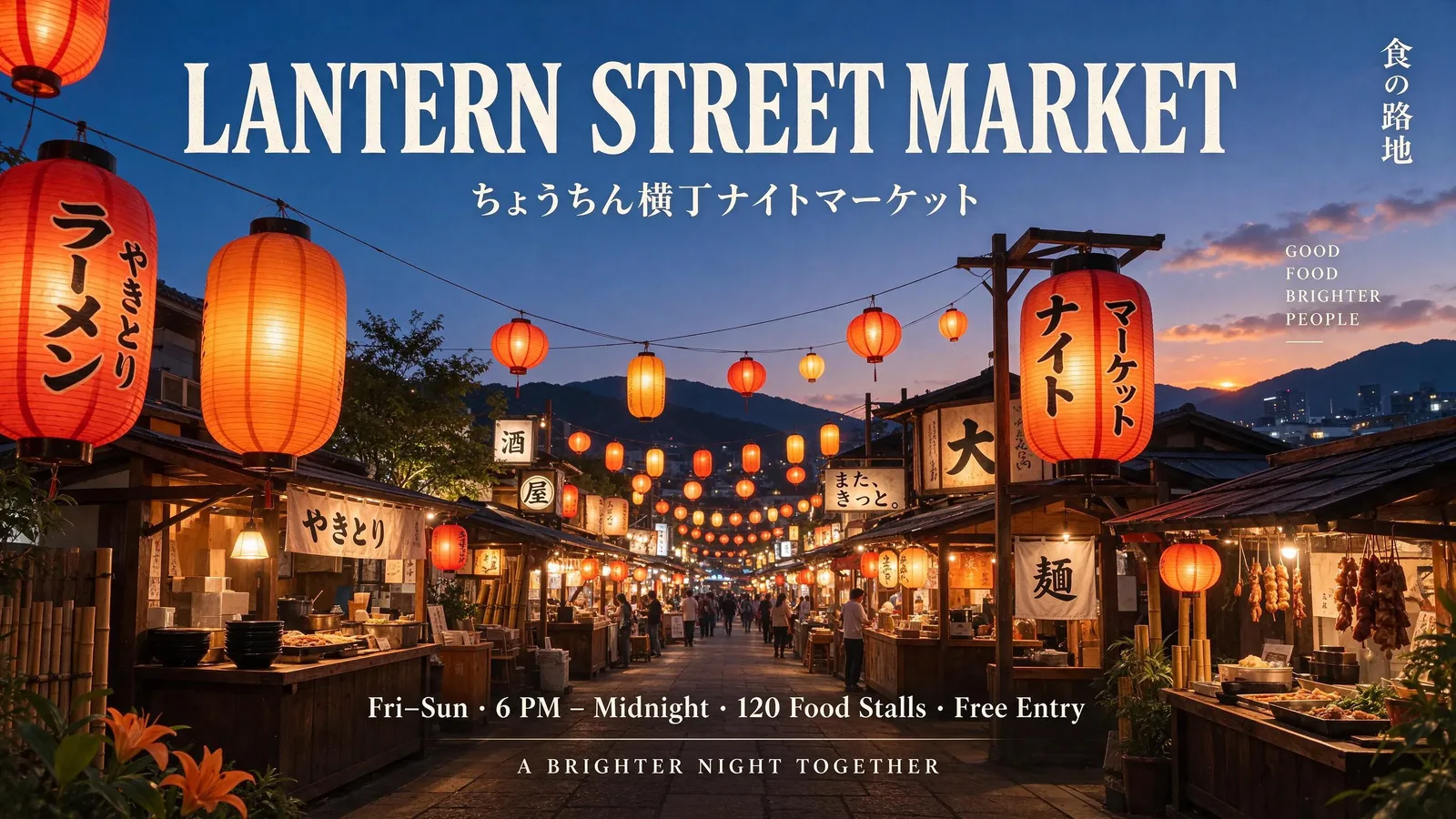
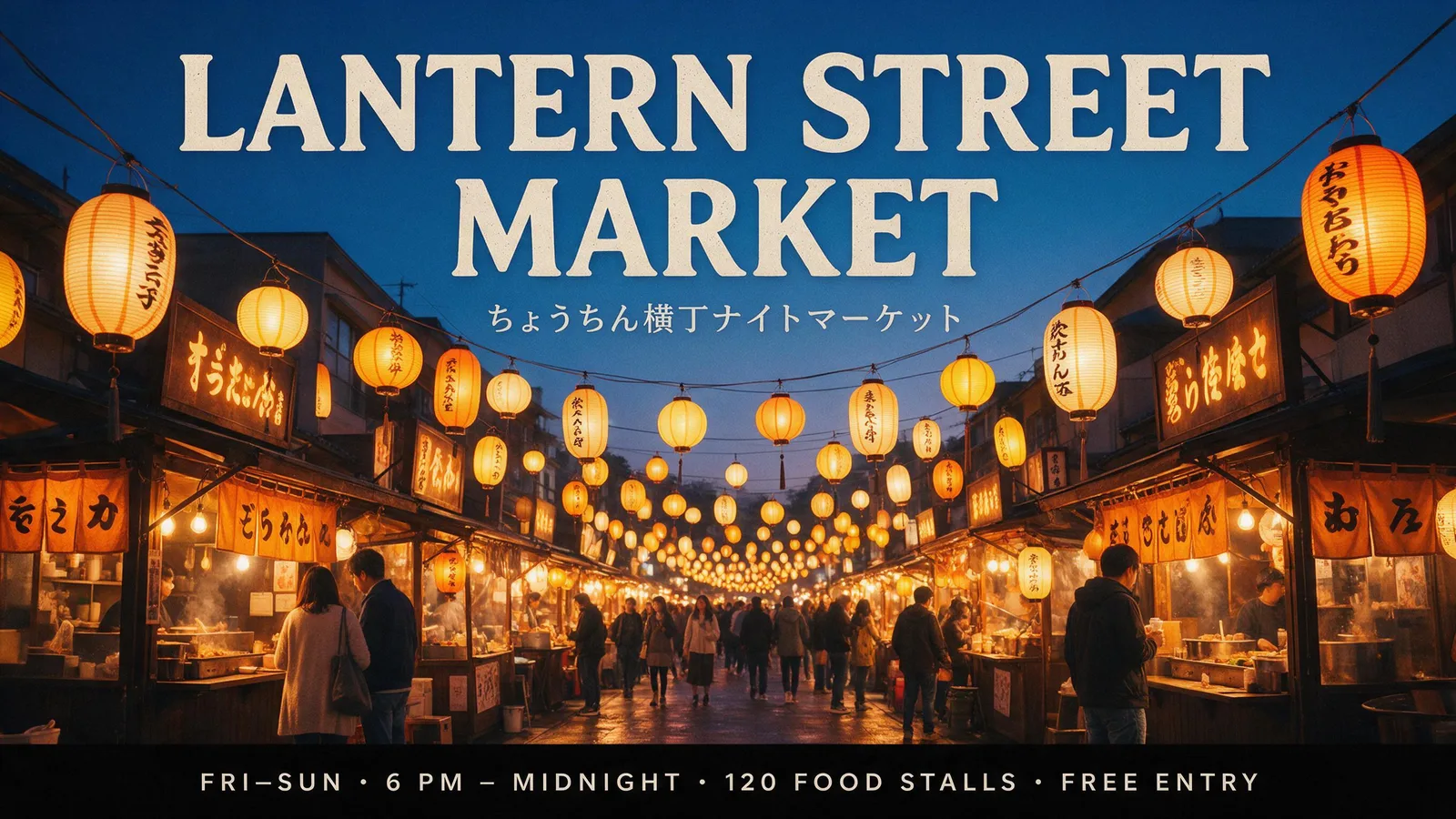
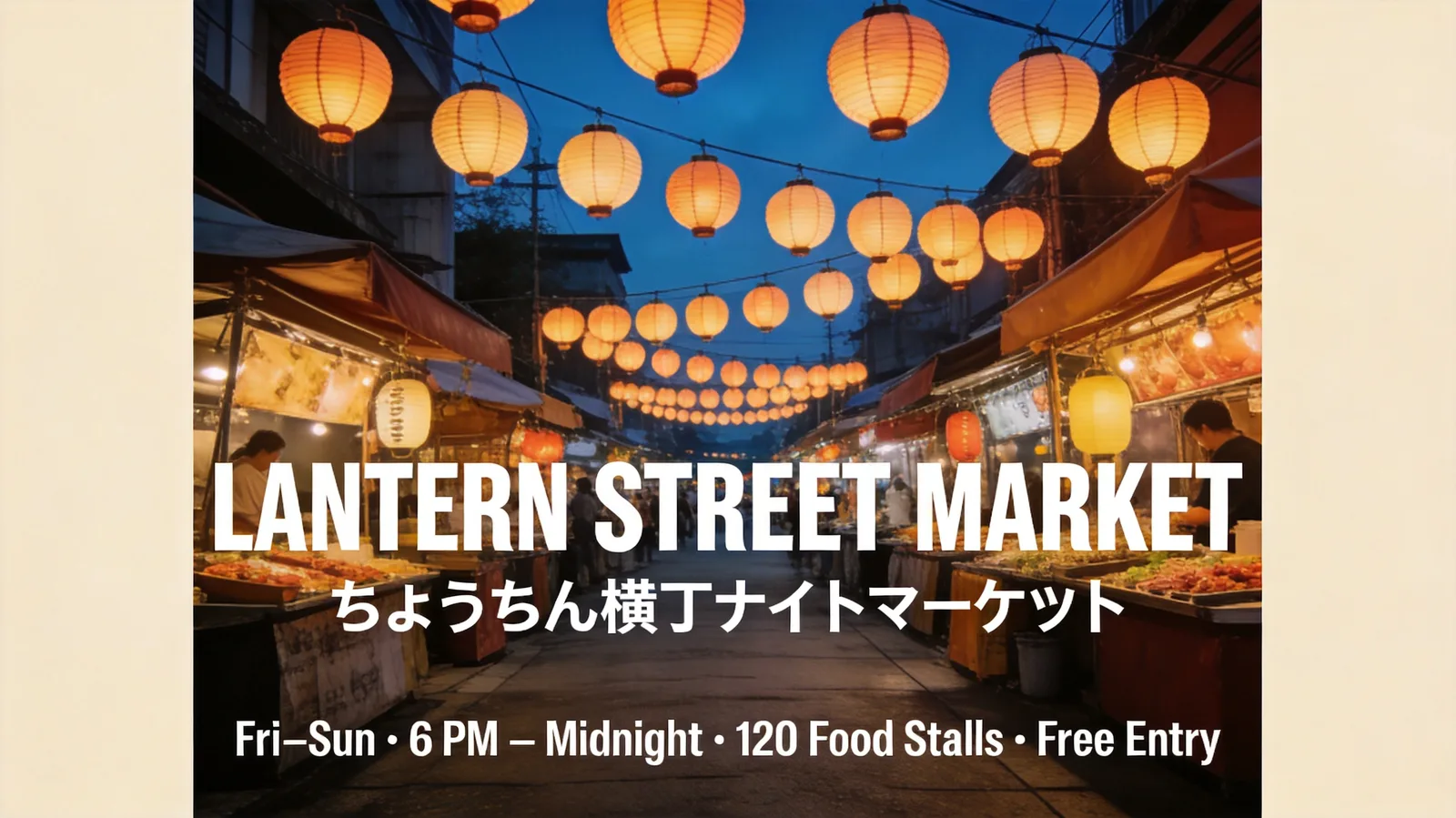
Every version spelled every line right, Japanese included. Seedream 5.0 Pro gave the cleanest result: the requested text and nothing else, a full-bleed photo, and the info line set in its own bar. Seedream 5.5 added four short taglines we did not ask for. Seedream 4.5 placed the poster on a cream page with wide margins and put the headline in the middle instead of at the top, so it reads more like a mockup than a finished poster.
This round: Seedream 5.0 Pro.
Test 3: sticker on a transparent background
Text to image, 1:1, 1K:
A cute die-cut sticker of a smiling cartoon avocado wearing tiny sunglasses and holding a surfboard, bold clean outlines, vibrant flat colors, with the words "Stay Chill" in rounded bubble letters under it.
On Seedream 5.5 we turned on Background: Transparent. Seedream 5.0 Pro and 4.5 have no such setting, so we added "On a transparent background." to their prompts.



Only Seedream 5.5 returned a PNG with a real transparent background. Seedream 5.0 Pro gave a JPG on solid white and Seedream 4.5 a JPG on sky blue, so both need a background remover before you can use them as stickers. In looks, 5.0 Pro drew the best avocado, with a clear pit and a cleaner layout; 5.5's avocado reads more like a pear.
This round: Seedream 5.5, because it is the only one that did the job.
Test 4: edit a product photo
Image to image, one reference photo, 4:3, 2K. This is the photo all three got:
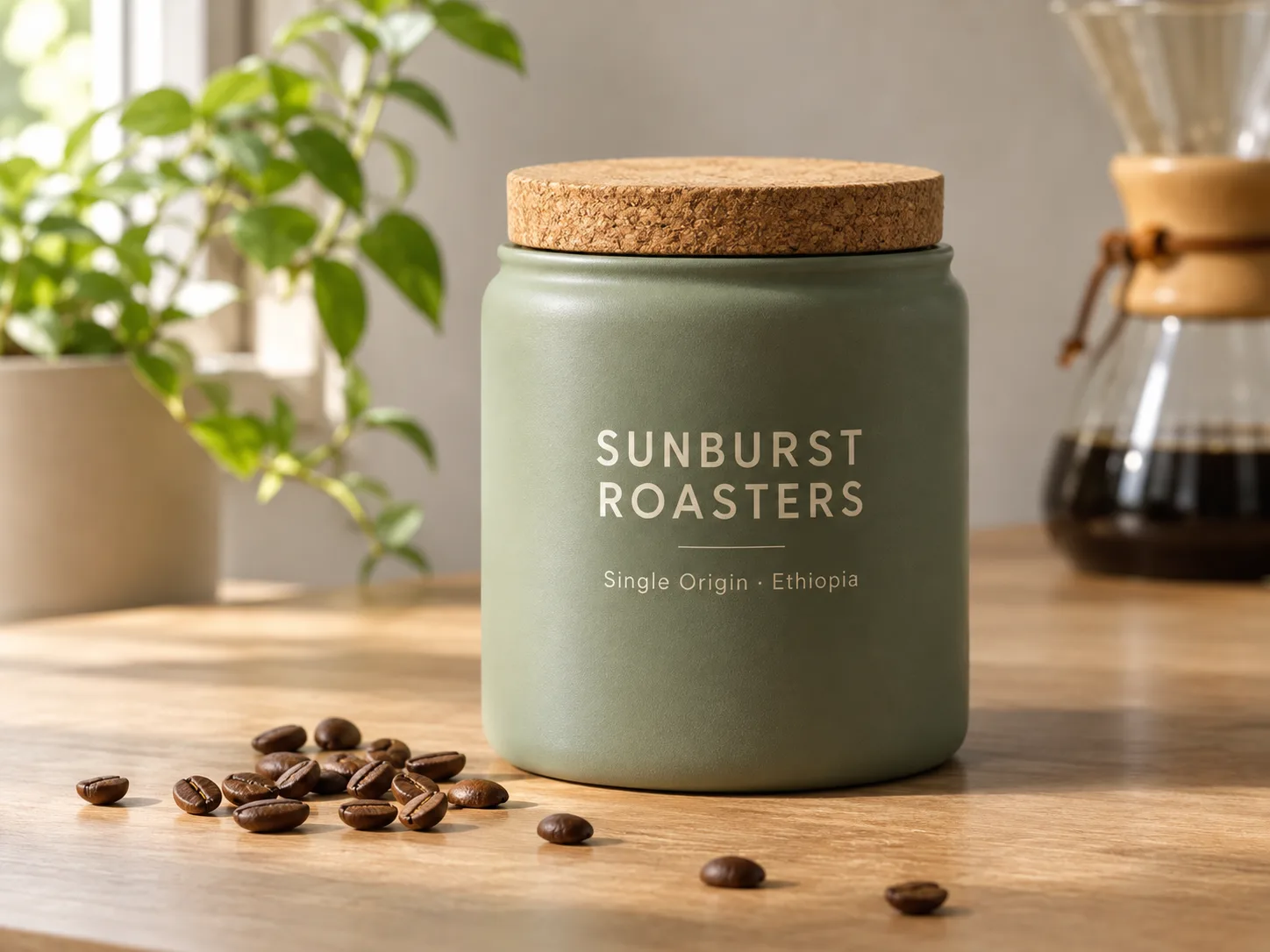
Keep the canister, its label text and the camera angle exactly the same. Change only the setting: place it on a dark walnut table in a cozy morning kitchen with soft steam rising from a cup of coffee beside it.
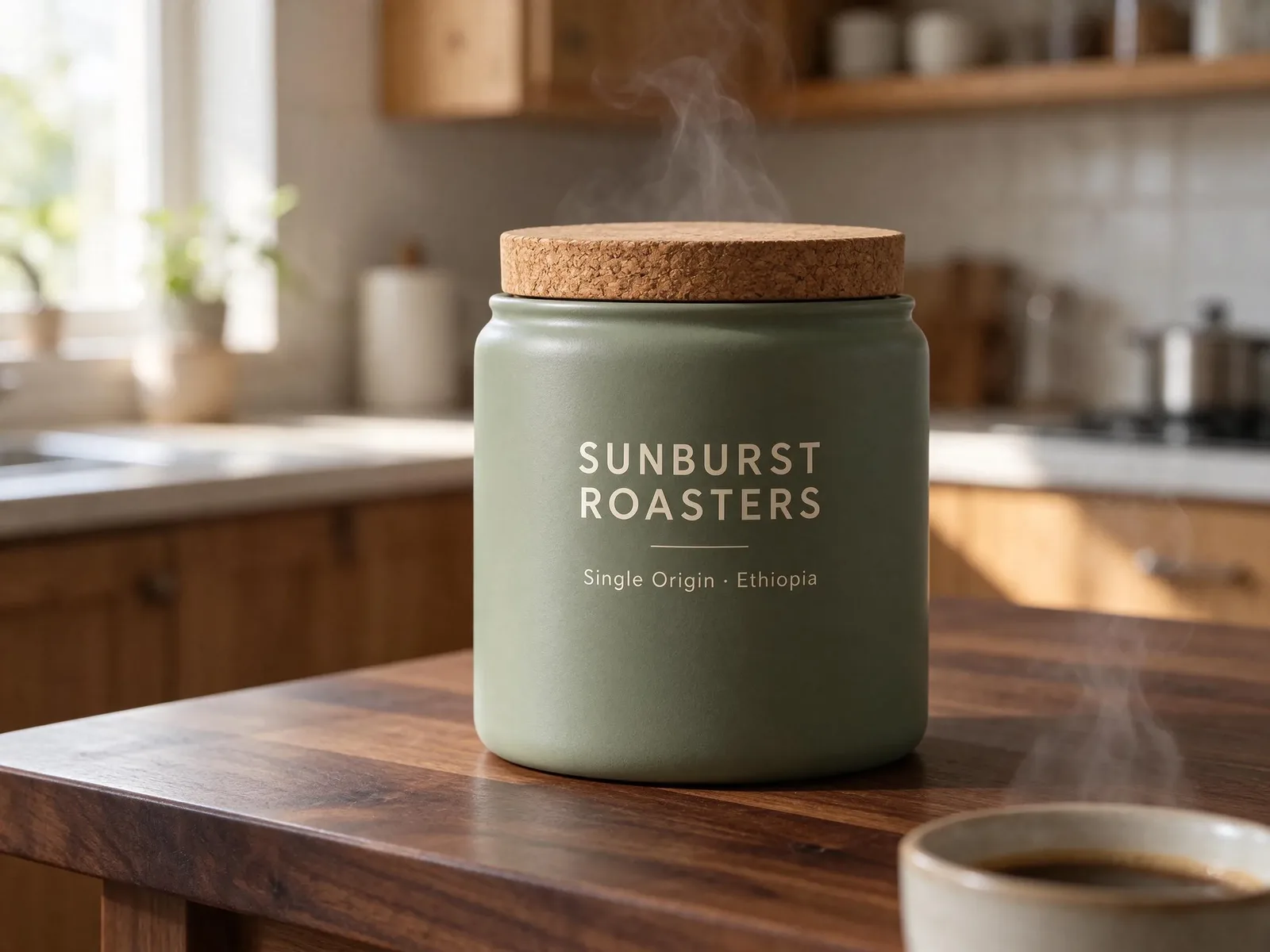
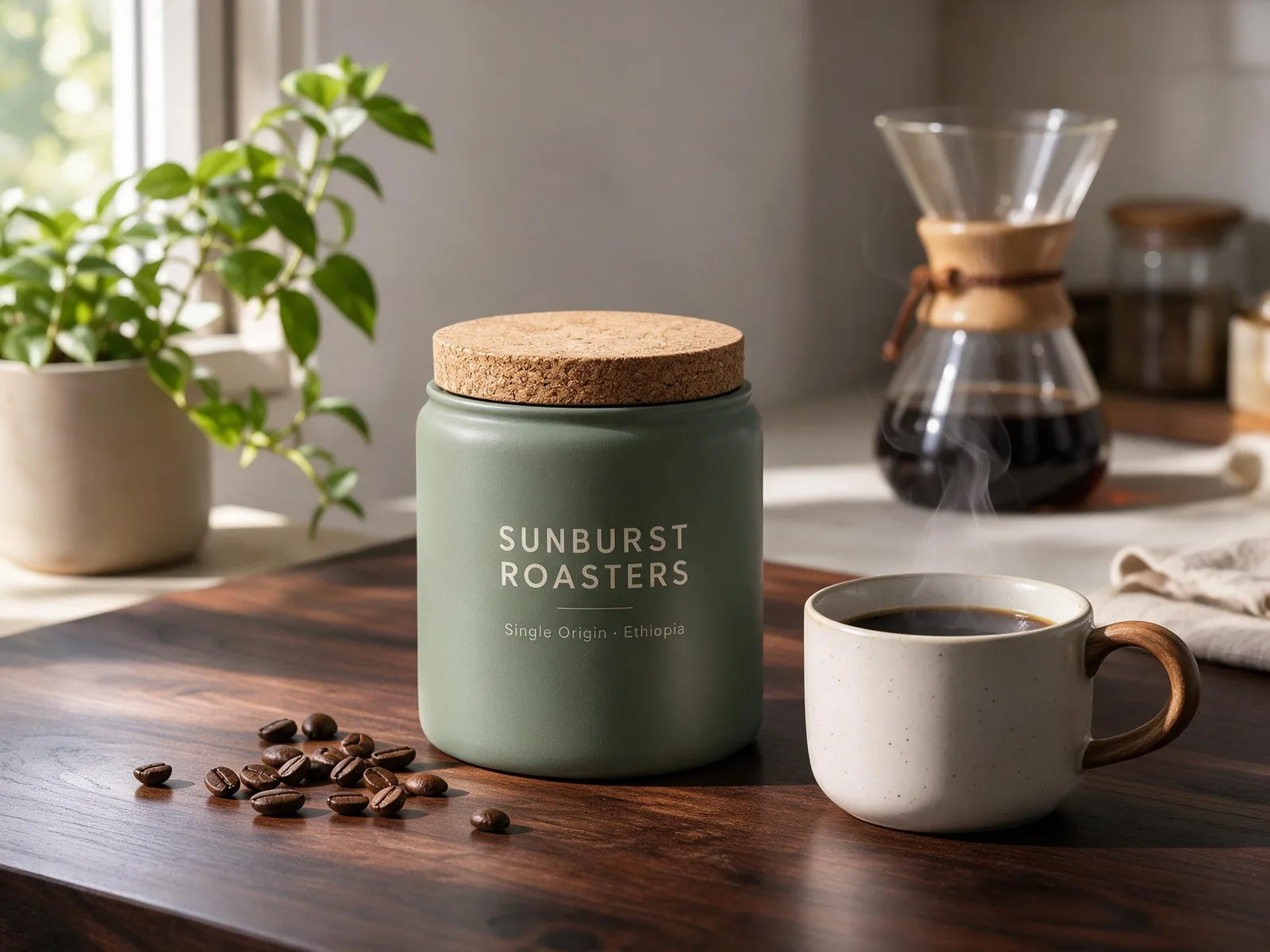
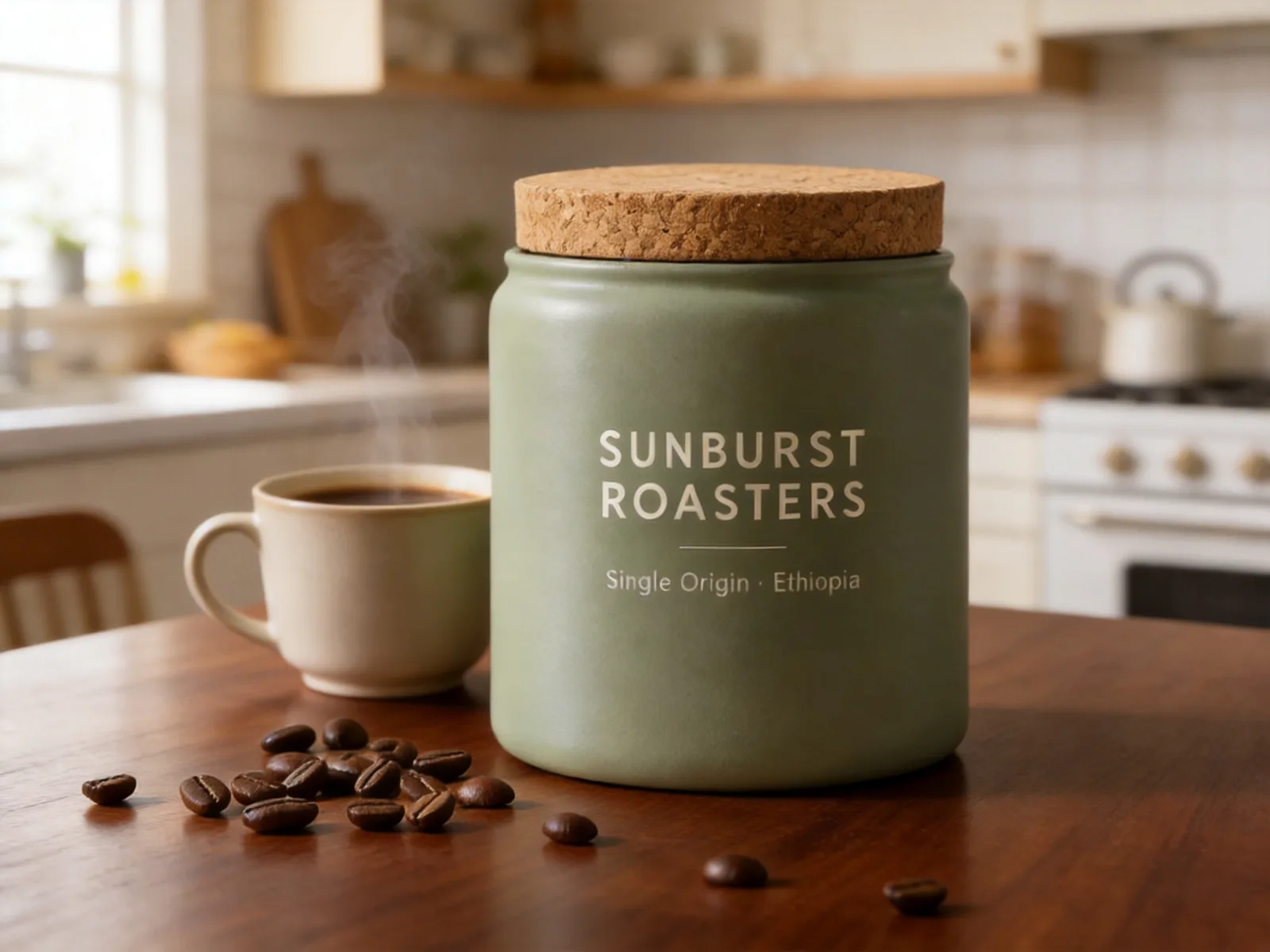
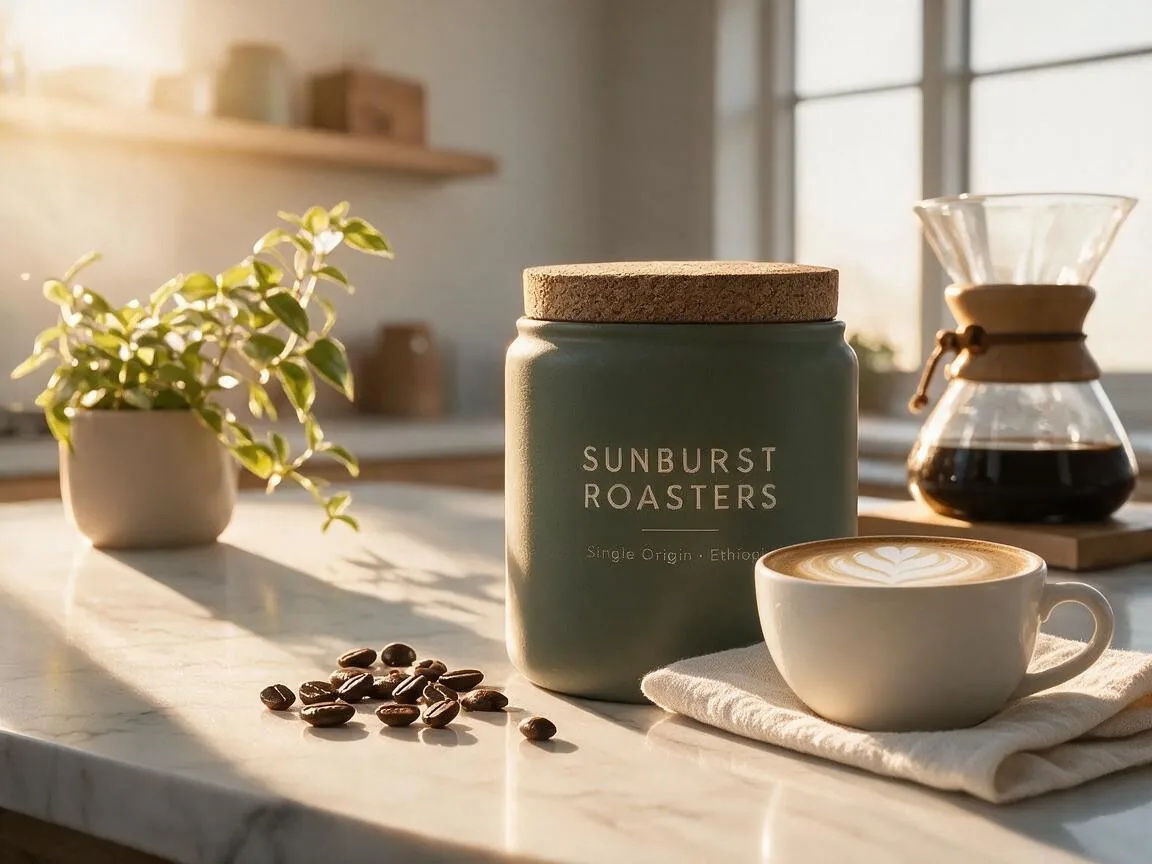
All three kept the label word for word. Seedream 5.0 Pro is the only one that also kept the rest of the shot: the plant, the pour-over coffee maker, the scattered beans and the camera angle. It swapped the table and added the steaming cup, exactly as asked. Seedream 4.5 kept the beans but moved in much closer and lost the plant and the coffee maker. Seedream 5.5 pulled the camera back and dropped the beans, the plant and the coffee maker. 5.0 Pro was also the slowest image in the whole test, at two minutes.
This round: Seedream 5.0 Pro.
Test 5: three edits in a row
We started from the same canister photo and fed each result back in as the next input, at 4:3. Seedream 5.5 and 5.0 Pro ran at 1K; Seedream 4.5 has no 1K option, so it ran at 2K.
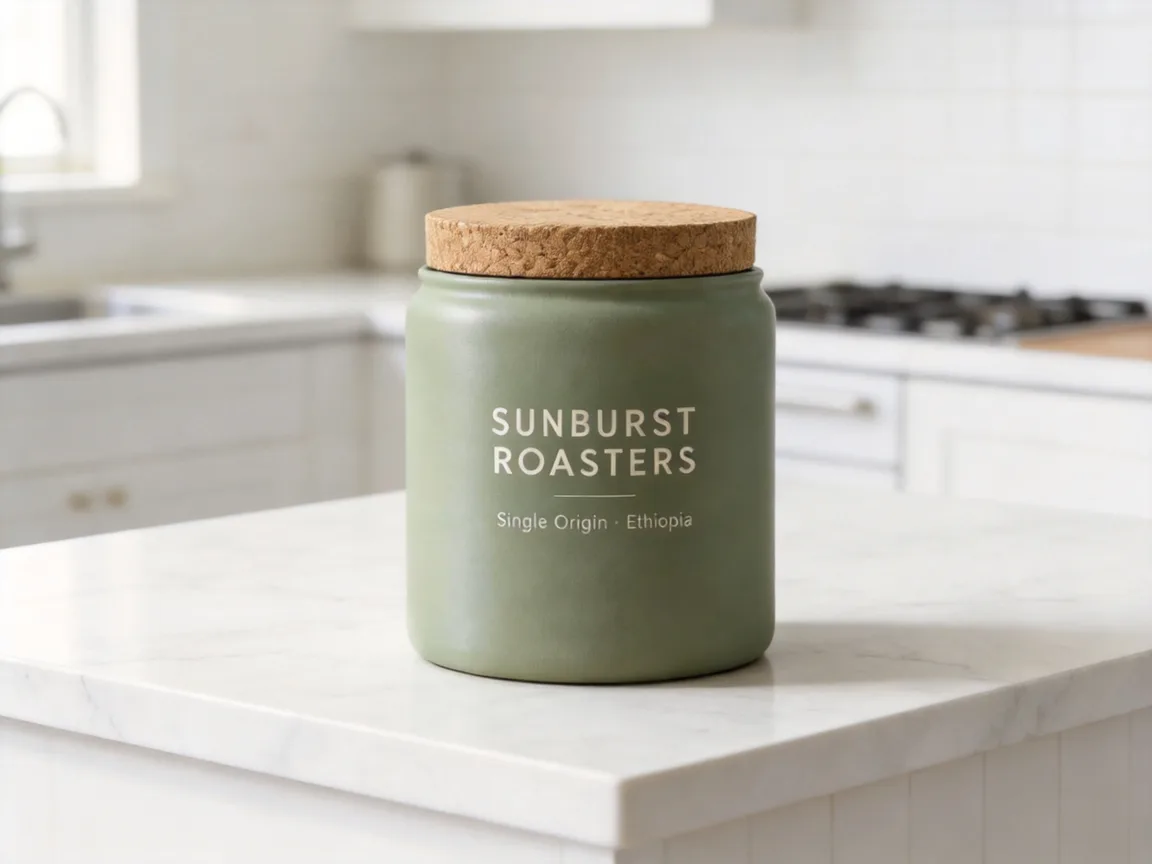
- "Keep the canister, its label text and the camera angle exactly the same. Change only the setting: place it on a white marble kitchen counter in a bright minimalist kitchen."
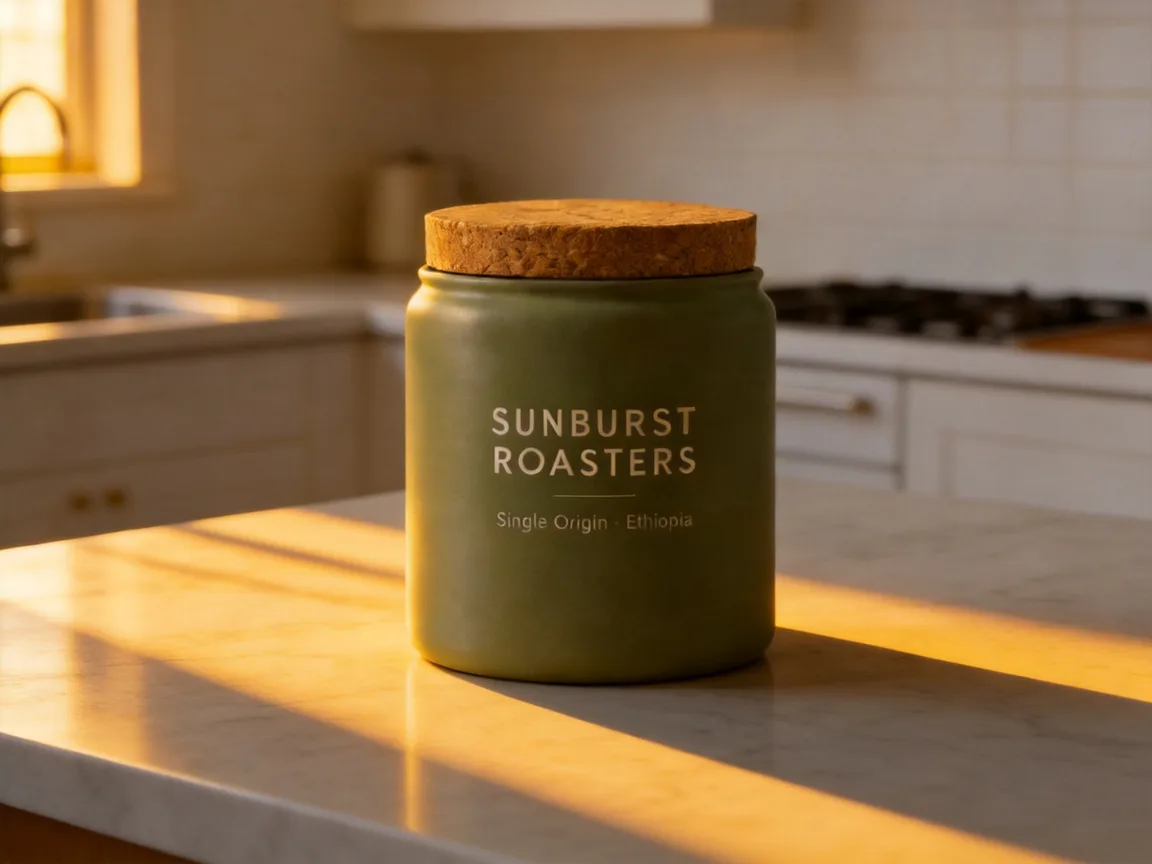
- "Keep everything in the scene exactly the same: the canister, its label, the coffee beans and the camera angle. Change only the lighting: warm golden-hour sunlight streaming in from the left window, with long soft shadows across the marble."
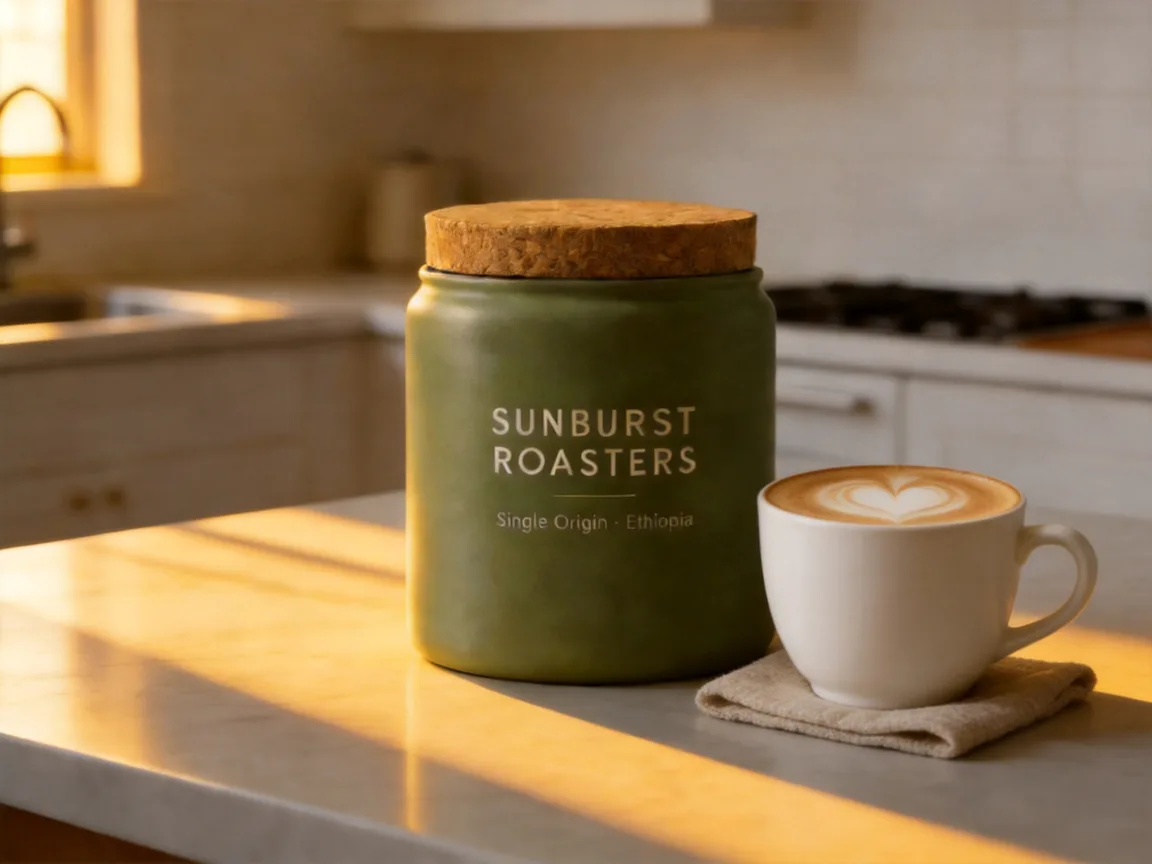
- "Keep everything exactly the same: the canister, its label, the coffee beans, the camera angle and the golden-hour light. Add only two props on the counter: a white ceramic cup of latte with heart latte art to the right of the canister, and a small linen napkin under the cup."
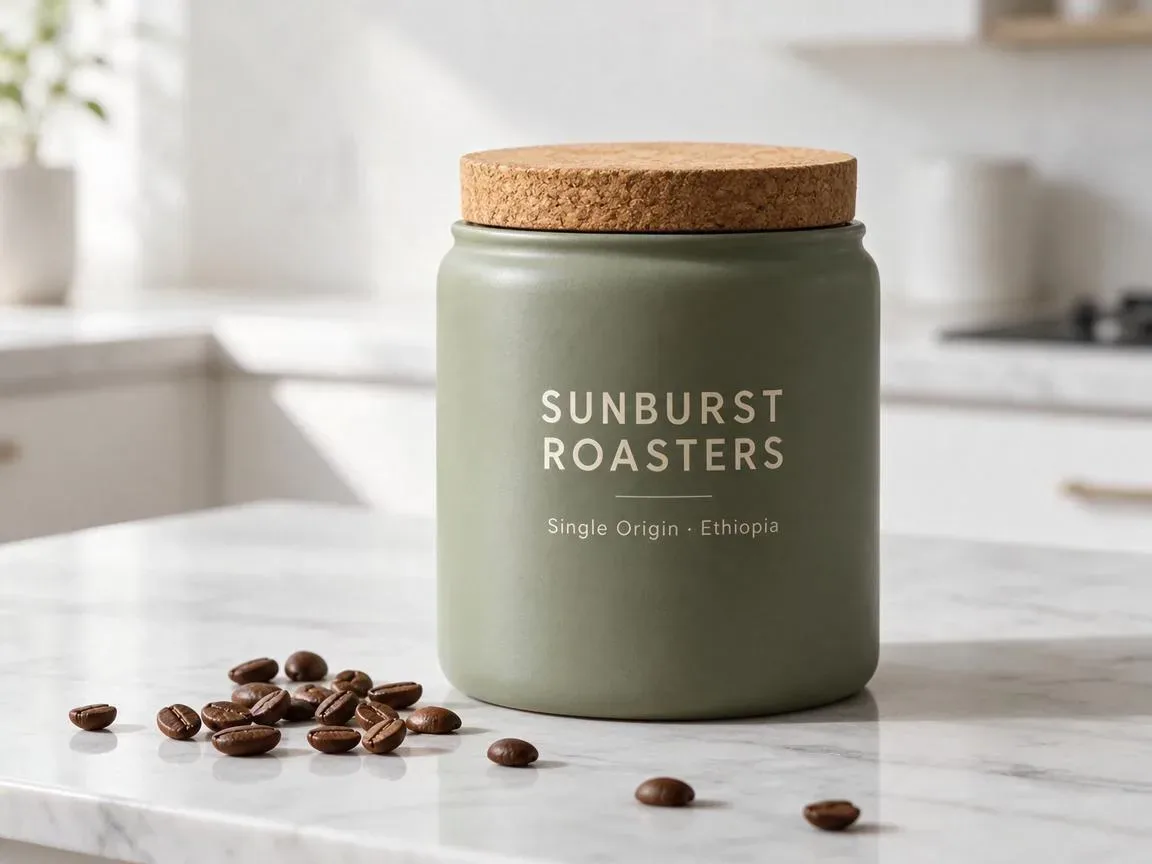
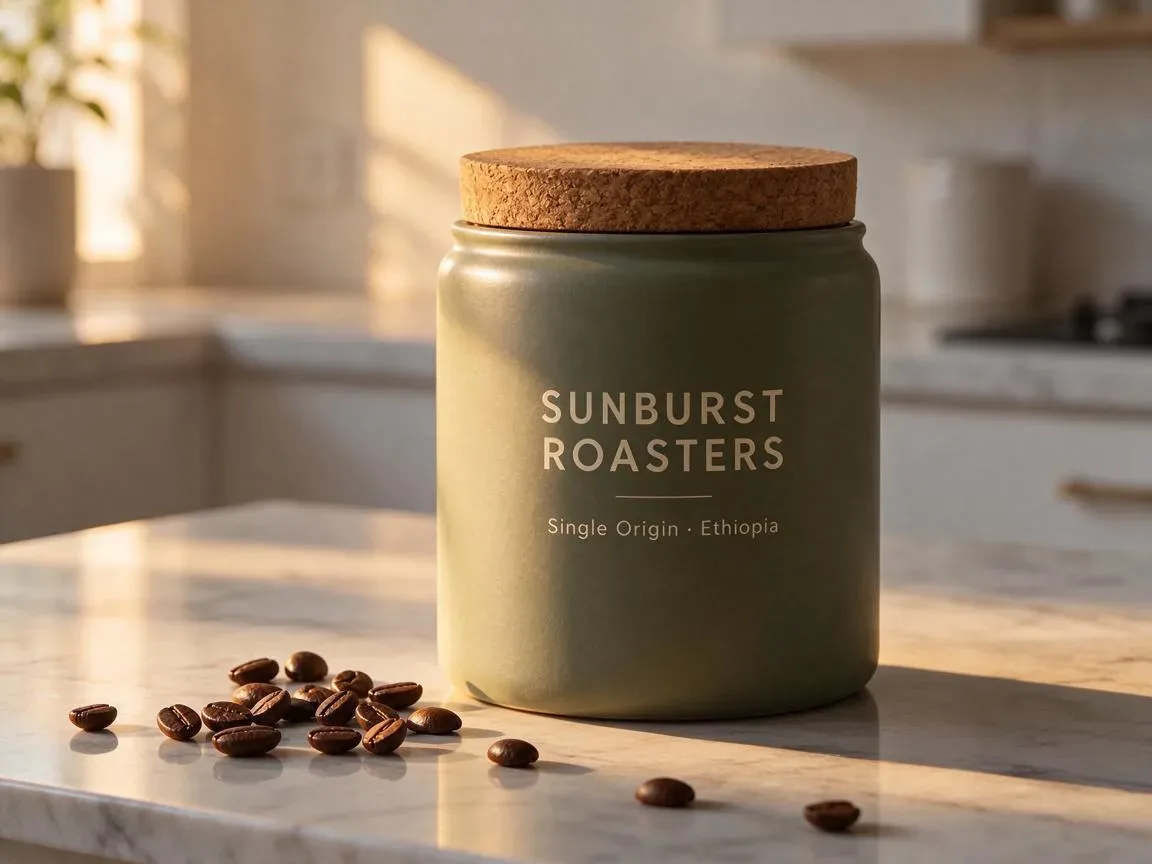
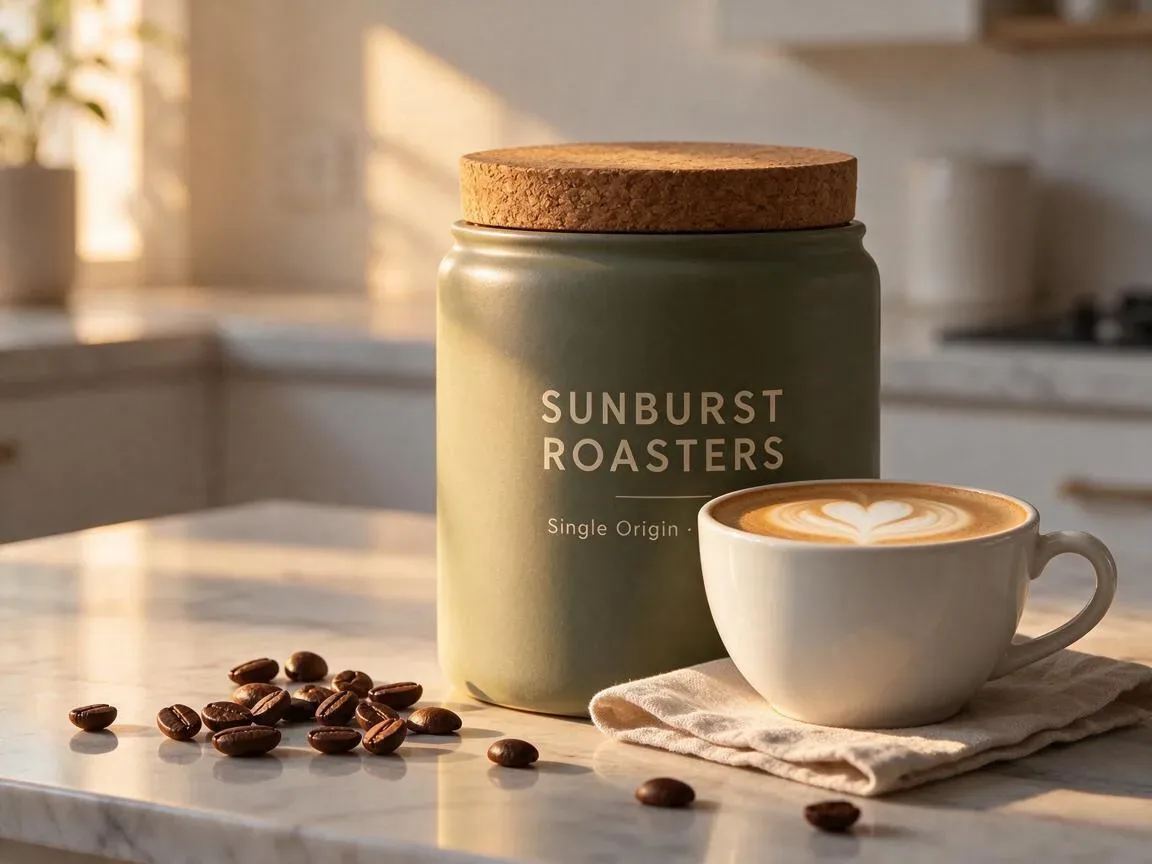
Seedream 5.5, rounds 1–3 · 23 s, 21 s, 15 s · 6 credits each
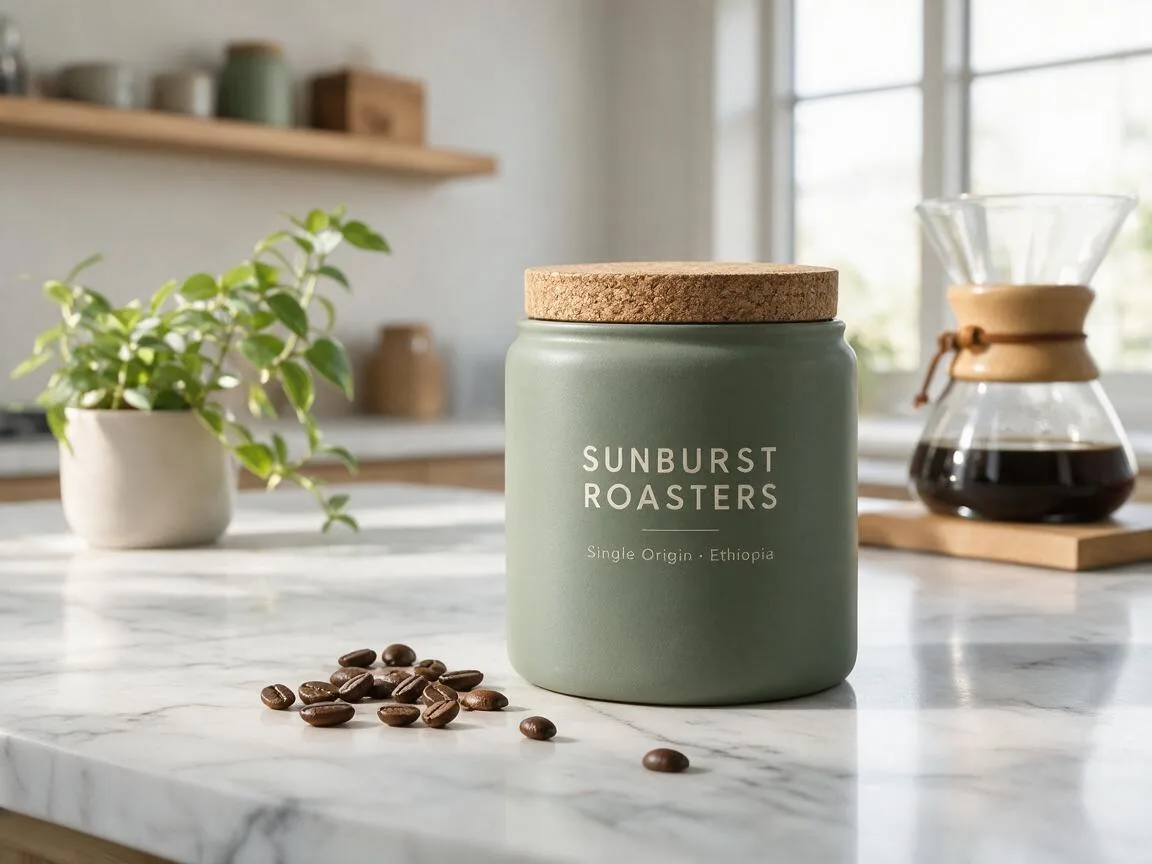
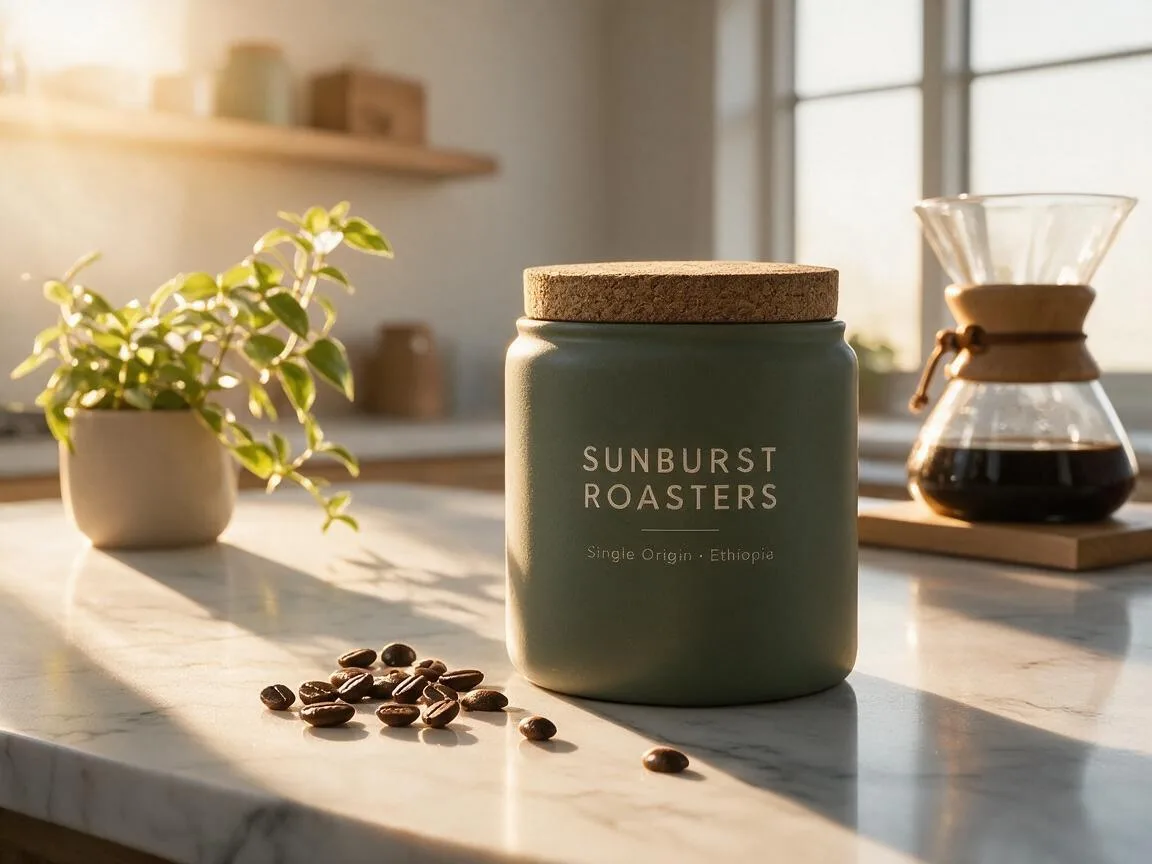
Seedream 5.0 Pro, rounds 1–3 · 80 s, 99 s, 76 s · 8 credits each
Seedream 4.5, rounds 1–3 · 20 s, 21 s, 20 s (API)
ByteDance leads with multi-round editing for Seedream 5.5, and 5.5 did keep the canister, label and beans through all three rounds. But Seedream 5.0 Pro held the scene even better: the plant, the coffee maker and the beans from the original photo are still there after round 3, and the latte cup sits to the right on its napkin as asked. The one flaw is the small "Single Origin · Ethiopia" line, which gets a little soft by round 3. Seedream 5.5 put the cup in front of the jar, where it covers the end of that line. Seedream 4.5 dropped the beans in round 1, even though round 2 asked to keep them, and the canister turned a darker green in round 2.
This round: Seedream 5.0 Pro.
What it costs
- Seedream 5.5: a fixed 4 credits at 1K or 7 at 2K, plus 2 per reference photo. A transparent PNG costs the same.
- Seedream 5.0 Pro: 7 credits at 1K or 14 at 2K, plus 1 per reference photo.
- Seedream 4.5: not on ImagesArt. Through an API it costs about $0.03 per image at 2K or 4K.
Across our seven test images, Seedream 5.5 used 45 credits and Seedream 5.0 Pro used 74. On a new account with 15 free credits, that is three Seedream 5.5 images at 1K, or two Seedream 5.0 Pro images at 1K. Credits are only used when an image comes out.
Which Seedream should you use?
- Seedream 5.0 Pro for final product shots and edits that must keep everything else in the photo, and for posters where nothing extra may appear. Expect to wait one to two minutes per image.
- Seedream 5.5 for drafts, volume and anything that needs a transparent background. It was the cheapest of the two on ImagesArt and two to three times faster, and its 2K images are slightly larger.
- Seedream 4.5 if you already use it through an API and mostly make single images. It is fast and cheap, but it changed the most when we edited the same photo again and again.
A good workflow is to try prompts on Seedream 5.5 and run the final version on Seedream 5.0 Pro.
Try Seedream on ImagesArt
Seedream 5.5 has its own page with text to image, image to image, the Transparent background setting and a Layers tab that splits one photo into separate PNG layers. Seedream 5.0 Pro is in the model list of our AI Image Generator, next to Seedream 5.0 Flash. No ByteDance account is needed.
Open the Seedream 5.5 generator →Related reading
Comparing Seedream 5.5 with other companies' models? Read Seedream 5.5 vs Nano Banana 2.1 vs GPT Image 2.6, Seedream 5.5 vs Nano Banana Pro and Seedream 5.5 vs GPT Image 2.6. All of them use the same five tests.