What Is Virtual Staging? a Practical Guide for Listings
ImagesArt.ai
11/7/2026

Virtual staging is digitally adding movable furniture and décor to a photo of a real property so viewers can picture the space, without changing the property itself.
But if a furnished image looks convincing, how can a buyer tell where the room ends and the digital additions begin? For creators, marketers, and small teams, that's the central challenge: making a room easier to understand without making the property look like something it isn't.
Table of Contents
- What Virtual Staging Means and Why Listings Use It
- Virtual Staging Compared With Physical Staging
- How Virtual Staging Works From Photo to Listing
- Which Edits Are Allowed and Which Change the Property
- Disclosure Rules for Staged Listing Photos
- What Virtual Staging Cannot Prove or Fix
- Short-Form Video and Pre-Publish Checklist
What Virtual Staging Means and Why Listings Use It
Say you're marketing a vacant living room. The photograph shows an open floor, a window, and a doorway, but viewers may struggle to judge where a sofa would fit or whether there's room to walk behind it. Software adds rendered furniture, lighting, artwork, and accessories to suggest a workable arrangement.
Think of it as a transparent furnishing sketch laid over a photograph. The room underneath remains the same. Unlike a floor plan, though, the finished image presents the proposed arrangement from the camera's perspective, helping viewers interpret the space before visiting.
The appeal is understandable. The National Association of REALTORS®’ 2025 Profile of Home Staging, discussed in Sotheby's International Realty's overview of home staging, found that 83% of buyers' agents said staging made it easier for buyers to envision a property as their future home. That finding concerns staging generally, not virtual staging alone.
For sellers deciding how furnished imagery fits their marketing, Edinhart Realty and Property Management's guide to virtual staging strategies for selling faster offers additional planning context.
The useful answer to “what is virtual staging?” is therefore more specific than digital decoration: it's a way to suggest scale, function, and alternative styles, not change what the property is.
Virtual Staging Compared With Physical Staging
| Factor | Physical staging | Virtual staging |
|---|---|---|
| Where the furniture goes | Moved into the actual home | Added digitally to a photo file |
| Changes to the real property | Furniture and décor installed and later removed | None; the property itself is unchanged |
| Logistics | Delivery, placement, rental and removal | Photo editing or rendering; no delivery |
| Vacant rooms | Works after installation | Works from the existing photo of the empty room |
| Disclosure needed | Follow applicable MLS and local presentation rules | Often required on altered images; check MLS rules |
| Best use | Open houses and in-person viewings | Online listings and first impressions |
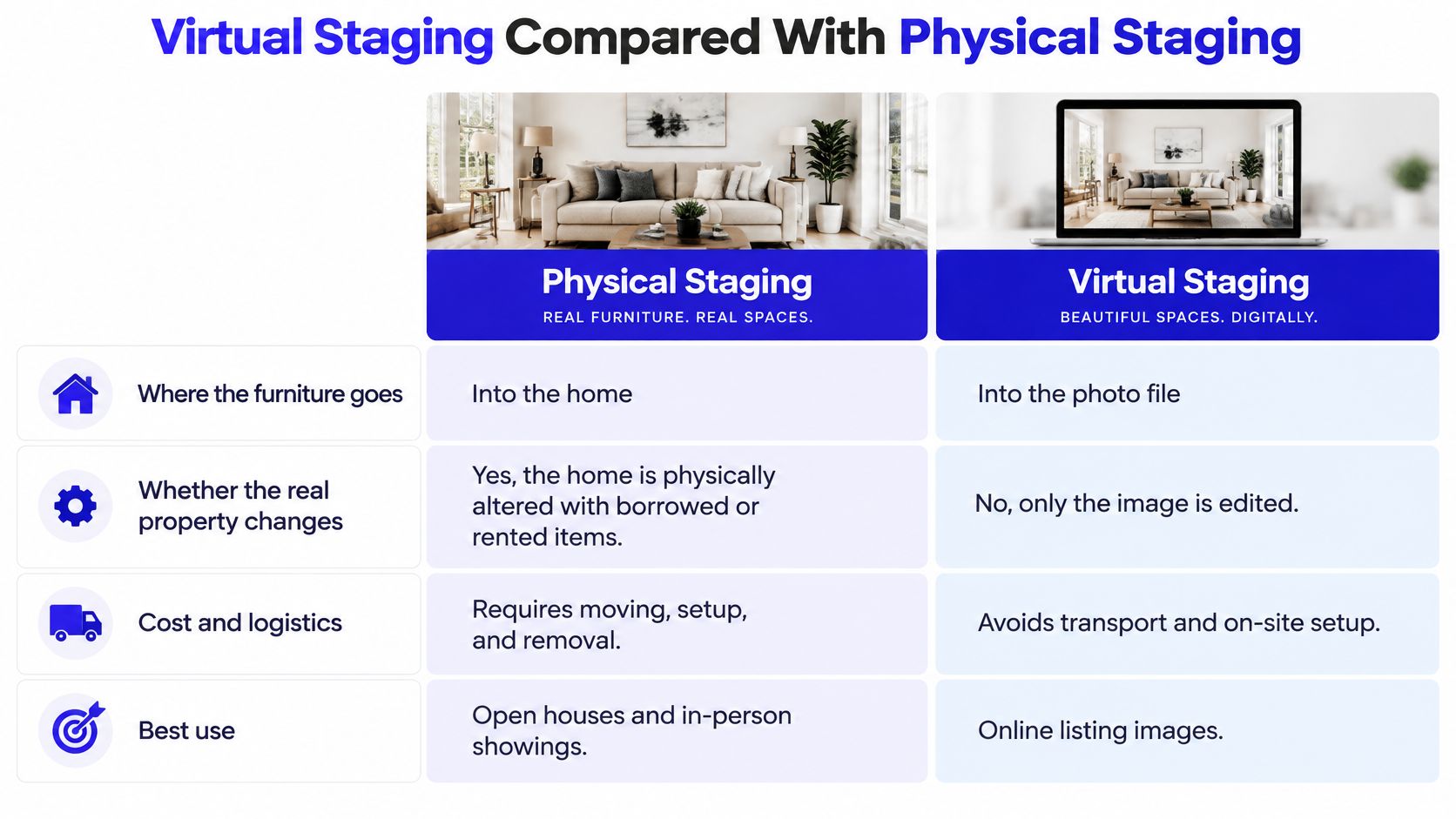
Physical staging changes what visitors encounter. Someone delivers furniture, arranges it, and eventually removes it. The home's construction needn't change, but buyers can walk around the furnishings and experience their placement firsthand.
Virtual staging changes a file instead. An editor or rendering tool works from photographs, so a vacant room doesn't need furniture delivery before its furnished concept can appear online. The trade-off is that visitors won't encounter those digital furnishings during a showing.
For either approach, a vacant room still needs preparation. Cleaning, addressing actual maintenance issues, and taking clear photographs aren't tasks that digital furniture replaces. Royal LePage Brookside Realty's guide to preparing a BC home for sale provides useful context for that physical preparation.
Choose for the viewing experience: Furnish the home when the in-person arrangement matters; furnish the photograph when you need to explain an empty space online.
Cost and turnaround depend on the project, including room complexity, photography, revisions, and installation needs. This comparison describes mechanics rather than prices.
The approaches can also work together. A seller might physically stage a main gathering space while using labeled digital concepts for vacant secondary rooms. Choose virtual staging when photographs carry much of the initial presentation, and consider physical staging for spaces where buyers need to experience the arrangement in person.
How Virtual Staging Works From Photo to Listing
Treat the photograph as a record, not a starting point for unrestricted redesign. This workflow keeps the proposed furnishings separate from the property's actual features.
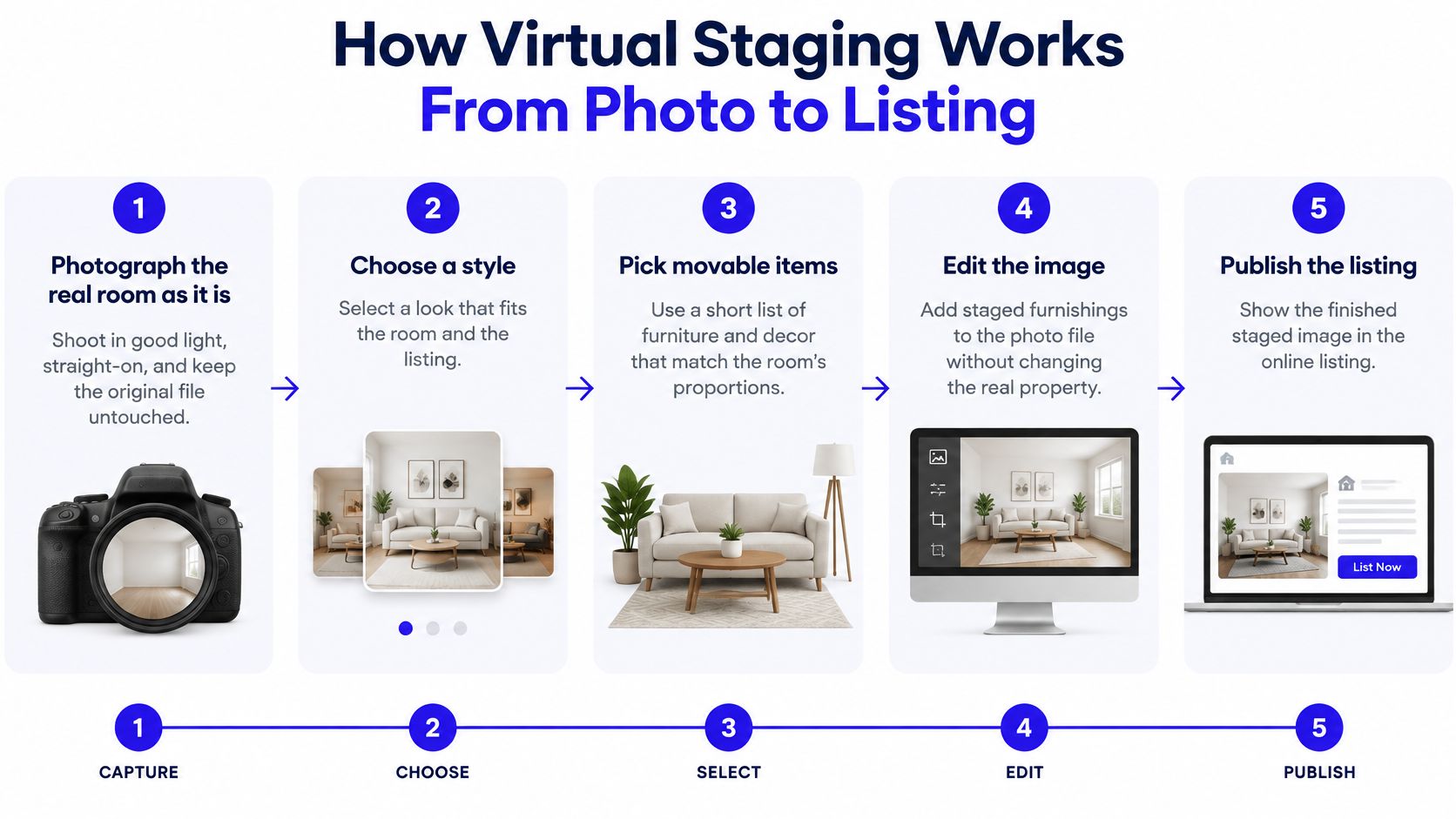
Photograph the room as it is. Shoot in good light with the camera level, keeping architectural lines straight. Save the original untouched; overwriting it removes your reference for checking later edits.
Choose a style and movable items. Select furnishings that fit the room's proportions and intended use, such as a sofa, rug, coffee table, and artwork. Don't crowd the room because the tool can generate more objects.
Write addition and preservation instructions. Name what to add, then specify the walls, floor, windows, doors, ceiling, fireplace, proportions, and lighting that must remain unchanged. An AI image generator can help develop visual options, but an attractive output isn't automatically an accurate listing image.
Compare the render against the original. Check geometry, mirrors, reflections, shadows, and daylight direction, not just furniture style. If the tool redraws a doorway or window, rerun with tighter constraints or reject the output.
Label the altered file. Apply the destination's required disclosure before creating distribution copies. Leaving this until upload makes it easier to publish an unlabeled version accidentally.
Export the complete set. Keep the original beside the labeled staged version and add a production note identifying the digital additions. Exporting only the polished result leaves reviewers without the evidence they need to approve it.
Why the software needs supervision
Rendering tools typically use floor and wall lines to establish perspective, estimate illumination, add contact shadows, and blend furniture edges. Generative systems can also redraw nearby surfaces, so identical instructions don't guarantee identical architecture.
For a location-specific campaign, assign a local reviewer before publication. A professional such as the Destin FL Real Estate Agent at Dream Destin Realty can be a contact for discussing a property's presentation, rather than leaving listing decisions solely to the image editor.
Use the walkthrough below as a visual companion, while keeping the original photograph open during your own review.
Which Edits Are Allowed and Which Change the Property
| Element | Typical status | Why it matters |
|---|---|---|
| Sofas, beds and tables | Allowed | Movable personal property |
| Rugs, lamps, artwork and décor | Allowed | Movable personal property |
| Walls, flooring and ceiling | Off-limits | Permanent finishes that buyers rely on |
| Windows, doors and fireplace | Off-limits | Permanent fixtures |
| Room dimensions and proportions | Off-limits | Changes what buyers judge by eye |
| Views outside windows | Off-limits | An invented view misrepresents the property |
| Visible damage or defects | Off-limits | Concealing damage violates MLS guidance |
| Mirrors, reflections and shadows | Check every render | AI tools can reshape them without being asked |
These are typical boundaries for staging listing photographs, not blanket permission for every market. PNC's virtual staging guidance distinguishes furnishing a space from misleading alterations to its actual condition and features.
Movable personal property is the dividing line. A proposed armchair helps explain how someone might use a corner. Replacing worn flooring with pristine boards suggests an improvement the seller hasn't made.
Realism makes this distinction more important, not less. A convincing image can cause viewers to accept an invented condition as real, while a less polished image may make its conceptual nature obvious.
Review the room, not just the furniture
When working in an AI image editor, compare the original and edited files at matching magnification. Follow wall edges and doorframes, inspect window contents, and verify that mirrors reflect the right room rather than an invented adjoining space.
Also examine where objects touch the floor. Incorrect contact shadows can make furniture float, while enlarged rugs or undersized beds can distort a viewer's impression of available space.
A disclosure label explains that an image was altered. It doesn't make hiding damage or inventing permanent features acceptable.
Say a rendering adds attractive built-in shelving beside a fireplace. Even if the shelves improve the composition, they aren't ordinary movable décor and shouldn't appear as an existing feature.
Use this final decision rule: if a buyer would reasonably expect it to stay when they move in, don't change it in a staged listing image. When an element is ambiguous, preserve it and have the listing agent resolve the question before publication.
Disclosure Rules for Staged Listing Photos
| Source | Disclosure requirement | Before image |
|---|---|---|
| Northstar MLS | Identify in the caption, on the image or in the listing remarks | Include an unaltered before image for every affected room |
| Canopy MLS | Readily visible on the image or within the virtual tour; caption-only disclosure is insufficient | Confirm the applicable before-image requirement directly |
| Florida Realtors guidance | Label enhanced images | Show the original |
One disclosure in the listing description isn't a universal solution. Jurisdictions, MLS systems, brokerages, and publishing platforms can set different requirements, so a caption accepted by one destination may be insufficient elsewhere.
Northstar's guidance permits several disclosure locations and recommends an unaltered image for each affected room. Canopy requires a readily visible disclosure directly on the image or within the virtual tour, rather than relying only on captions or supplemental text. Florida Realtors recommends identifying enhanced images and showing originals.
The safer production default is a visible label on every altered image, with the unaltered room photograph immediately beside it. This is a workflow safeguard, not a claim that every jurisdiction uses identical rules.
Make disclosure survive distribution
- Place labels deliberately. Use readable text such as Virtually Staged without covering a fixture, defect, or important room detail.
- Check exported copies. Cropping for a social post or advertising placement can cut off an otherwise compliant label.
- Keep versions identifiable. Use filenames that distinguish originals, staged drafts, and approved publishing files.
- Separate correction from alteration. Ordinary exposure adjustment or cropping may receive different treatment from adding or removing objects. Verify the destination's definitions rather than treating every edit alike.
Publishing safeguard: Review the image as a viewer will encounter it, including thumbnails, mobile crops, and slides shown without captions.
Before the first listing goes live, confirm the applicable MLS and local licensing requirements in writing. Record who approved the files and which destinations they approved them for, so another team member doesn't assume that approval automatically covers every platform.
What Virtual Staging Cannot Prove or Fix
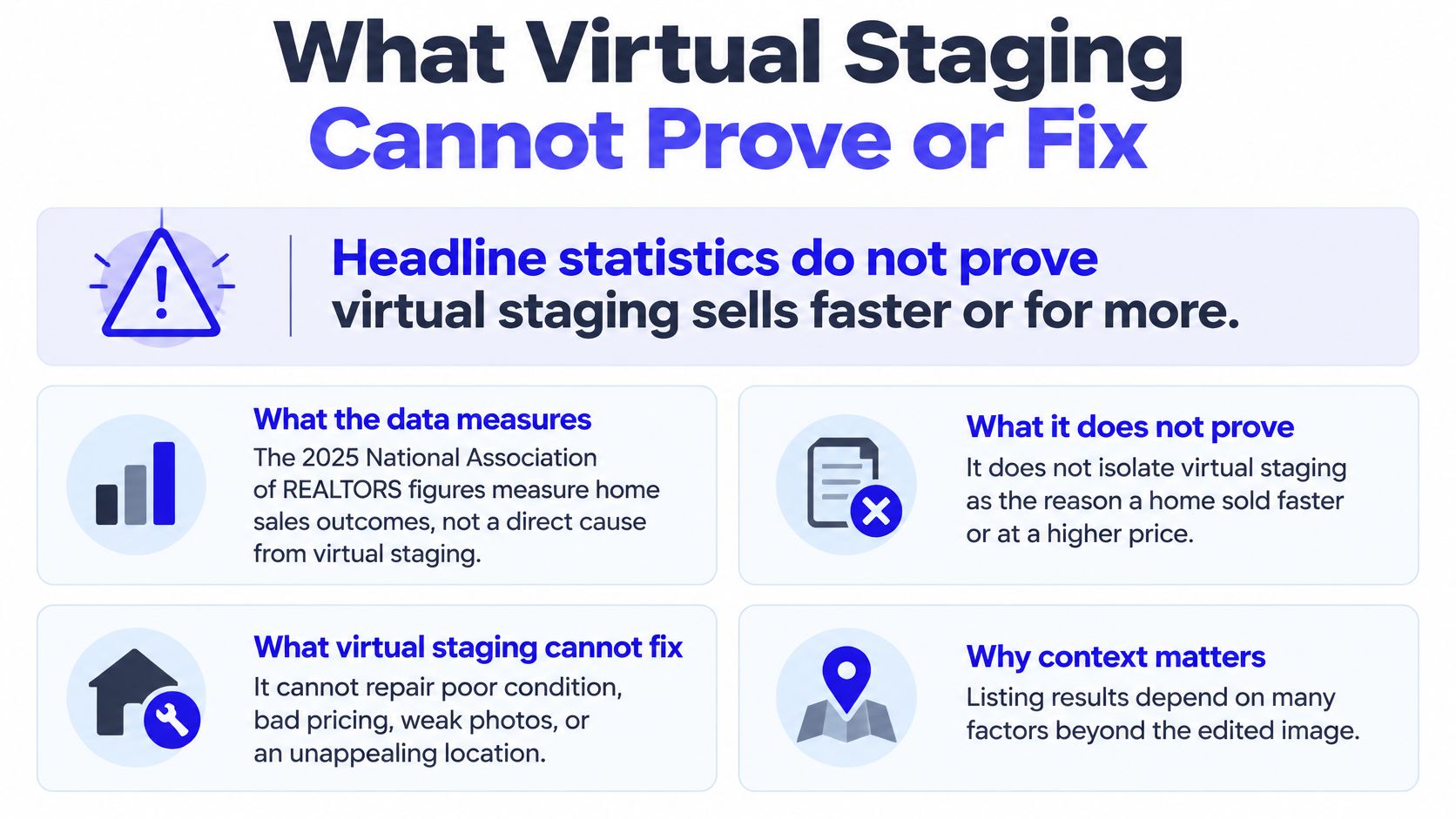
Headline staging statistics don't prove that virtual staging makes homes sell faster or for more money. Much of the commonly cited evidence measures staging overall, rather than isolating digitally furnished photographs.
In the National Association of REALTORS®’ 2025 Profile of Home Staging, 17% of buyers' agents believed staging increased the dollar value offered by 1% to 5% compared with similar unstaged homes; 49% of sellers' agents said staging reduced time on market. These are agents' assessments of staging generally, not proof of virtual staging's independent effect.
Practical strengths and limits
| Strength | Corresponding limit |
|---|---|
| No furniture transport or installation | Visitors won't experience the proposed arrangement |
| Furnishing options can be revised digitally | Every revision needs an accuracy check |
| Furniture can suggest scale and circulation | Incorrect sizing can mislead viewers |
| A concept can clarify an empty room's use | It cannot establish the room's actual condition |
Poor photography remains a problem. If the source image is blurred, heavily distorted, or missing important details, generated furniture won't provide reliable evidence of what those details should look like.
Nor can staging repair physical damage, correct an unsuitable asking price, or change a location. Its business value depends on photo quality, accurate representation, disclosure, listing strategy, and local buyer expectations.
A buyer who arrives expecting a renovated room rather than a furnishing concept may distrust the entire listing. Describe the benefit carefully: the image may help buyers picture the space. Don't turn that reasonable purpose into a guarantee about sale price or speed.
Short-Form Video and Pre-Publish Checklist
Short-form video gives creators another way to distribute staged imagery. HubSpot's 2025 marketing survey reported that 29.18% of marketers used short-form video such as TikTok, Instagram Reels, and YouTube Shorts, while 21% said it delivered the highest ROI among video formats. Those findings describe marketers broadly, not real estate campaign results.
Build a controlled before-and-after clip
Select approved frames. Choose a real before photograph and its labeled staged counterpart. Match the viewpoint so viewers can distinguish furnishing changes from camera changes.
Set the beginning and ending. Use Start-End Frame to guide the transition between the supplied images. Treat any generated intermediate frames as new material requiring review, not automatically accurate footage.
Keep movement restrained. A slow move or simple transition is easier to inspect than a sweeping camera path that reveals surfaces the photograph never captured. Try: “slow push-in toward the staged living room, preserve room geometry and furniture placement”.
Constrain the furnishing pass. For the staged still, use: “add a sofa, rug, coffee table and artwork; preserve walls, flooring, windows, doors, ceiling, fireplace, room proportions and lighting”. Reject outputs that improve the room by altering its construction.
Apply disclosure and export. Keep an on-screen label visible through the altered sequence, including ad versions. For a vertical social placement, compose a 9:16 cut, inspect the platform preview, and retain the approved source clip for comparison.
Our Image to Video workflow sits alongside Text/Image to Video, Start-End Frame, and Reference mode, which accepts up to 7 images to guide visual consistency rather than guarantee it. ImagesArt AI combines multi-model access with Virtual Staging AI and credits pricing; the site states that you only pay for what you render, and new accounts receive 15 free credits. Output options range from 360p drafts to 4K final delivery, depending on the selected model and eligible plan, so start with a short draft before committing to a higher-resolution render.
Check every publishing version
- Original preserved. The untouched photograph remains available.
- Altered images labeled. Disclosure is readable at the final viewing size.
- Before beside after. Each affected room has an adjacent original.
- Property matched. Walls, windows, doors, mirrors, fixtures, and dimensions agree with the source.
- Rules confirmed. The responsible agent has checked MLS and local requirements.
- Video reviewed. Every cut carries the label, and intermediate frames introduce no fictional features.
Run the complete workflow on a single listing before scaling. Approve the stills first, then animate only the versions that pass both the accuracy and publishing checks.
ImagesArt AI offers image generation, editing, and short-video tools for turning real property photographs into clearly identified furnishing concepts. Visit ImagesArt AI to test a room, compare the result with your untouched original, and build a labeled before-and-after set before publishing.